UML Package Diagram
The UML Package Diagram groups related elements into packages, helping to organize complex systems into manageable parts.
Instant Package Diagram Creation
Creating a structured, high-level view of your system architecture becomes effortless with the AI chatbot. Instead of arranging packages and dependencies by hand, you simply explain your architectural idea in plain language. The chatbot instantly organizes your components into clear packages and visualizes how they relate. Whether you follow layered architecture, modular design, or a domain-driven approach, the AI quickly produces a diagram that reflects your intended structure.
Refine and Explore Through Conversation
Once your initial diagram is generated, you can continue building and revising it through simple back-and-forth prompts. Ask the chatbot to introduce new layers, separate concerns into smaller packages, highlight dependencies, or adjust the overall hierarchy. This conversational workflow lets you explore different architectural patterns, evaluate the impact of changes, and ensure your structure remains clean and manageable as your project evolves.
Benefits of Creating Package Diagrams with the AI Chatbot
Quickly transforms architectural concepts into visual package structures.
Helps maintain clean dependencies by detecting potential circular links.
Automatically arranges nested and top-level packages for clarity.
Supports large-scale refactoring by previewing structural changes.
Provides consistent, always up-to-date architectural documentation.
Encourages better modularization through iterative discussions.
Reduces manual work and keeps diagrams aligned with the codebase.
Examples of Generating UML Package Diagram
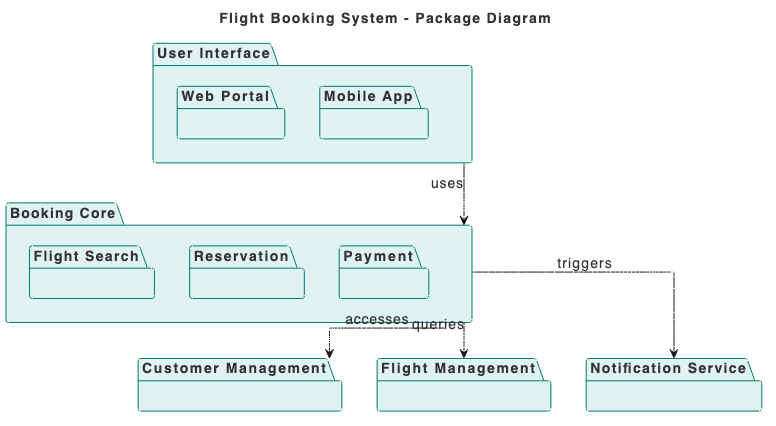
Use simple text prompts to generate this diagram in seconds. Here are a few examples to get you started:
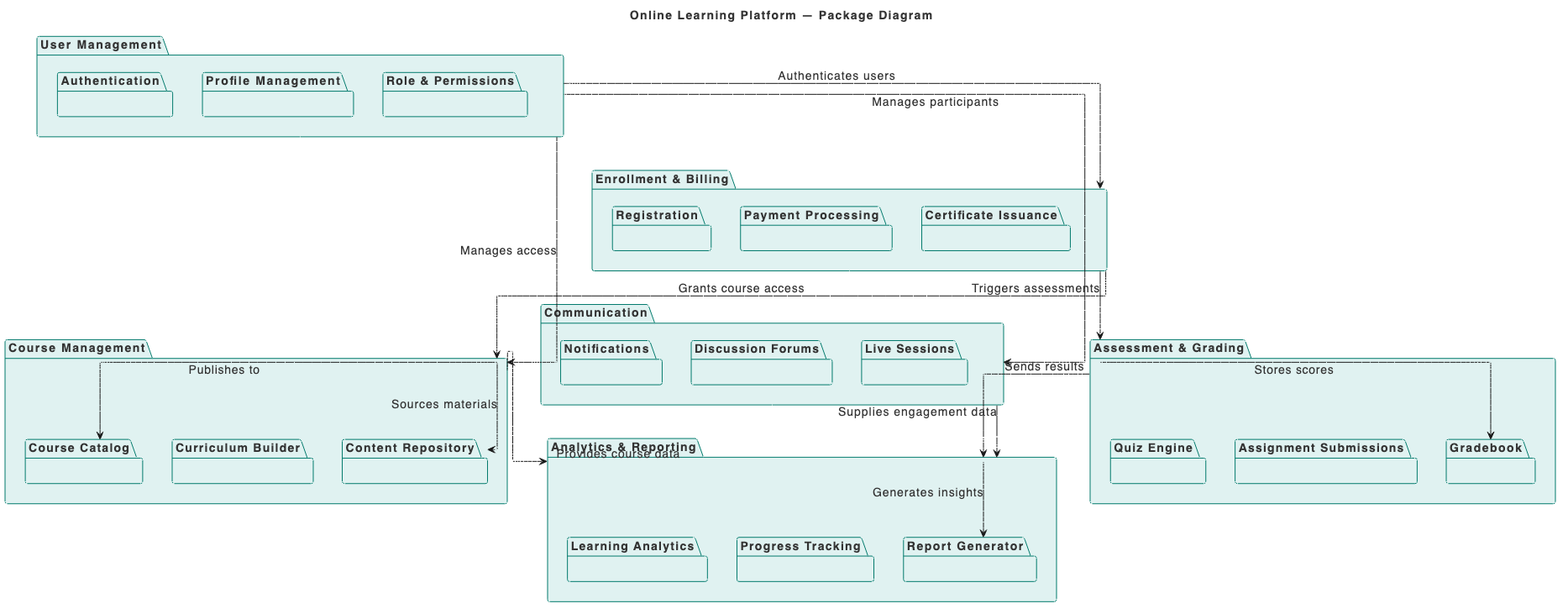
Online Learning Platform
“Build a Package Diagram for an Online Learning Platform.”
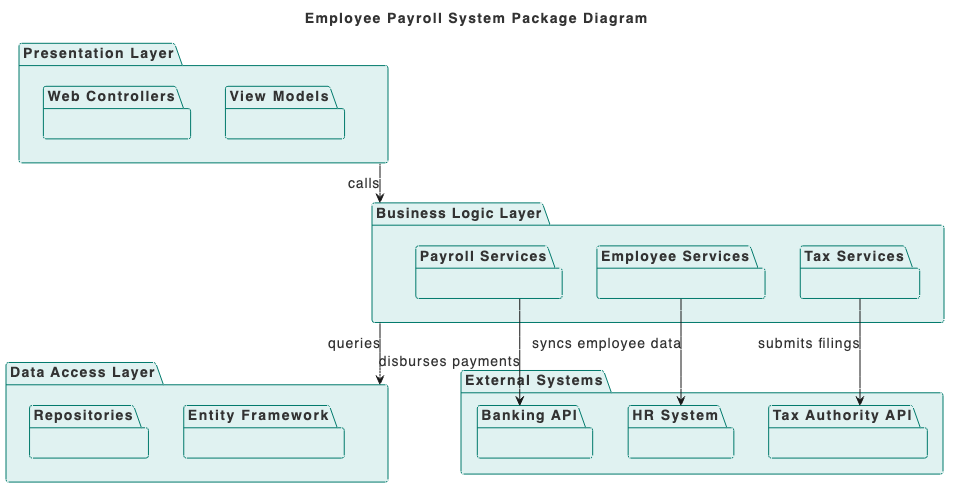
Employee Payroll System
“Prepare a use case diagram for a Hotel Reservation System for booking rooms and managing stays.”
What Is a UML Package Diagram?
A UML Package Diagram provides a high-level overview of how different parts of a system are grouped and connected. It represents packages as logical containers and shows the dependencies between them, making it easier to understand how your system is organized.
This diagram is especially useful for managing complexity in large projects. By visualizing grouping and relationships, teams can maintain cleaner boundaries, reduce unwanted coupling, and design software that is easier to scale and maintain.
Key Concepts
Package Diagram
A package diagram is a type of UML diagram that organizes and groups elements of a system into packages. It shows the system’s high-level structure and how different packages depend on or relate to each other.
Package
A package is a container for UML elements such as classes, interfaces, or even other packages. It helps organize large systems into manageable parts. In diagrams, a package is drawn as a folder-like shape with a small tab.
Generalization
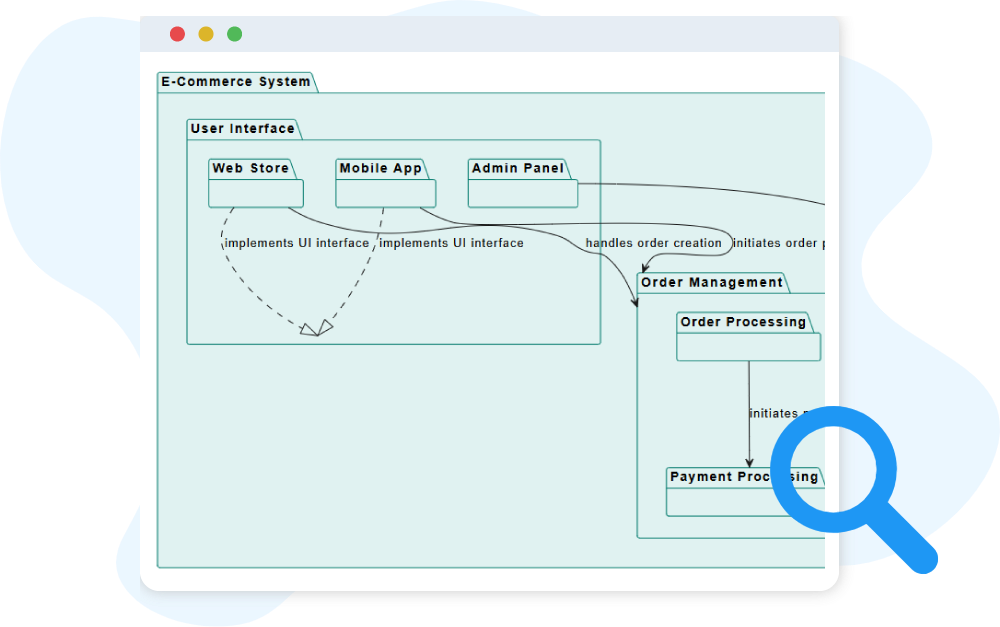
A generalization indicates that a package is a specialized version of another package, inheriting its contents. It is drawn as a solid line with a hollow triangle pointing to the more general package.
Dependency
A dependency shows that one package uses or relies on elements of another package. It is drawn as a dashed arrow pointing from the dependent package to the provider package.
Realization
A realization shows that a package provides the specifications defined by another package. It is drawn as a dashed line with a hollow triangle pointing to the specification package.
Ready to Revolutionize Your Workflow with AI?
Stop wrestling with tools. Embrace AI-powered visual modeling. Let our AI handle the visualization so you can focus on solving the bigger problems.