C4 Container Diagram

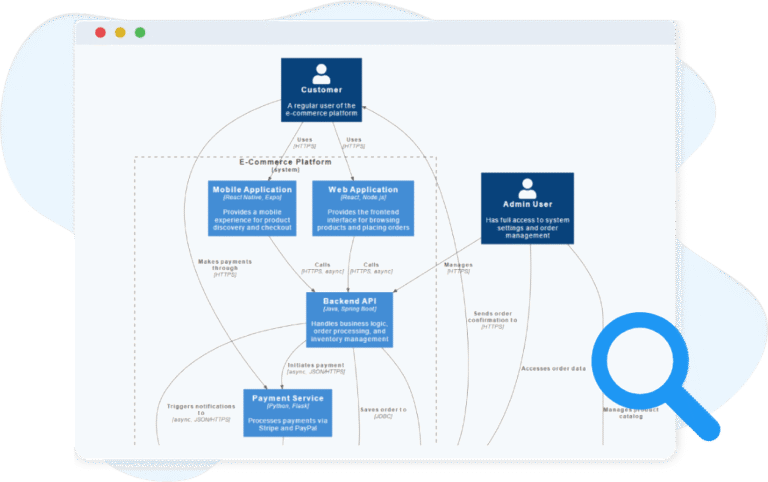
The C4 Container Diagram breaks down the system into containers such as applications, databases, or services, showing their relationships and responsibilities.

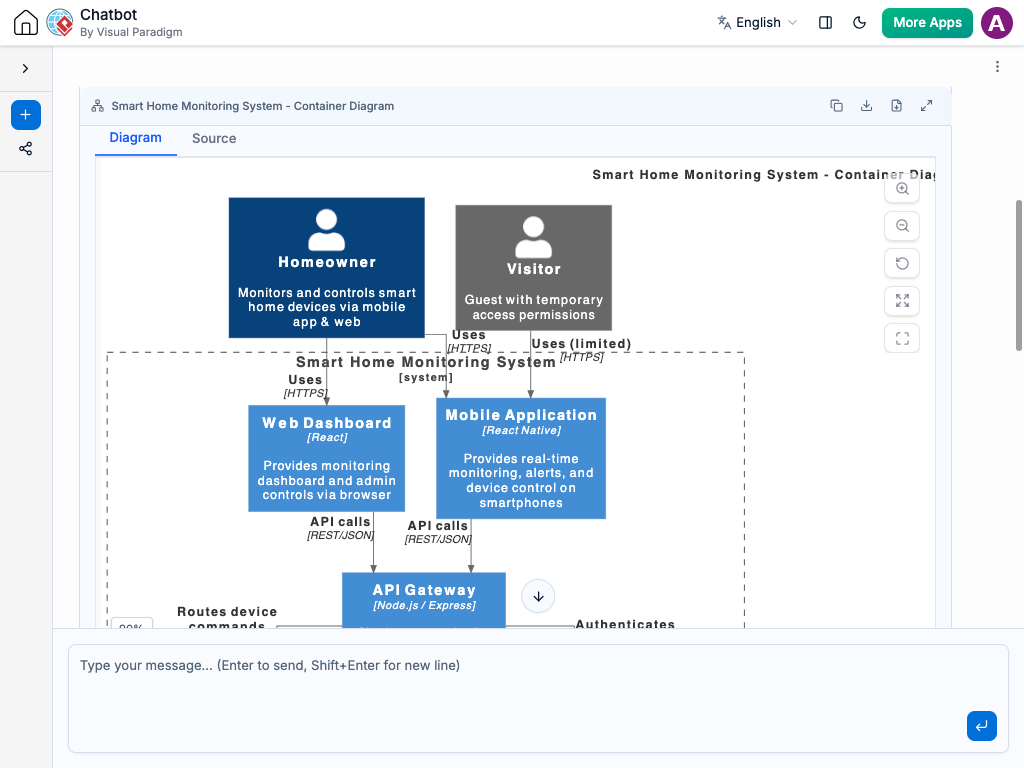
Generate C4 Container Diagram with AI Chatbot.

Instant Container-Level Architecture Generation

With the AI chatbot, mapping out your container architecture becomes a fast and intuitive process. Describe the major building blocks of your system — such as APIs, data stores, client applications, or microservices — and the chatbot will transform your explanation into a complete C4 Container diagram. Each container is generated with clear responsibilities, technology tags, and well-defined interactions, giving you a precise architectural snapshot without manual drawing.

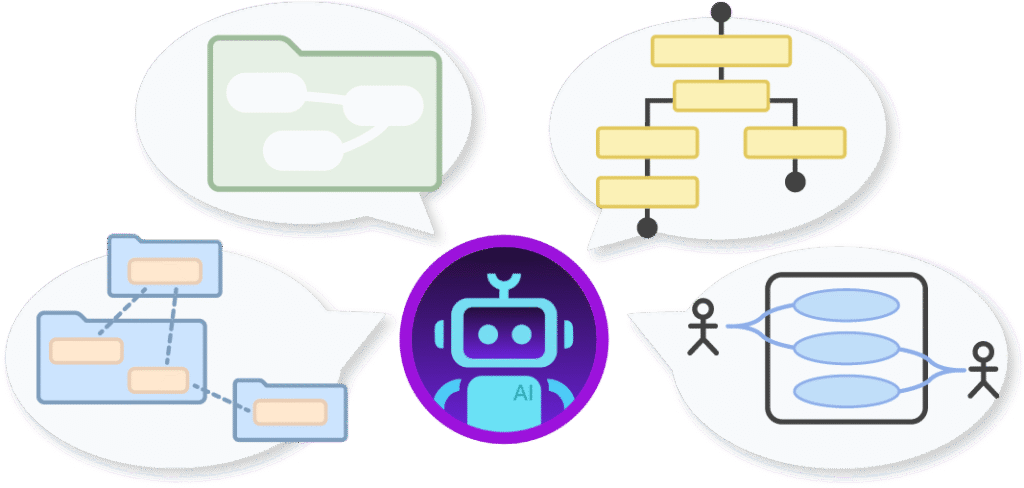
The AI Chatbot can generate different diagrams according to your need in the chat.

Iterate, Expand, and Adjust Through Simple Conversation

Refining your architecture is as easy as continuing the dialogue. You can request changes like splitting a service, adding a new database, or updating communication flows, and the AI will instantly reshape the diagram. This conversational workflow makes architectural iteration frictionless, allowing you to explore different system structures, validate decisions, and maintain a diagram that always reflects your current thinking.

Benefits of Creating C4 Container Diagrams with the AI Chatbot

tick-icon-3.png

Converts plain-language descriptions into structured, C4-compliant diagrams.

tick-icon-3.png

Automatically applies clear labeling for technologies, responsibilities, and protocols.

tick-icon-3.png

Simplifies architectural evolution by enabling rapid updates through conversation.

tick-icon-3.png

Ensures consistent interpretation of C4 notation across your team.

tick-icon-3.png

Maintains a synchronized source of truth throughout development.

tick-icon-3.png

Helps onboard developers quickly by producing clean, readable architecture maps.

Examples of Generating C4 Container Diagram

Use simple text prompts to generate this diagram in seconds. Here are a few examples to get you started:

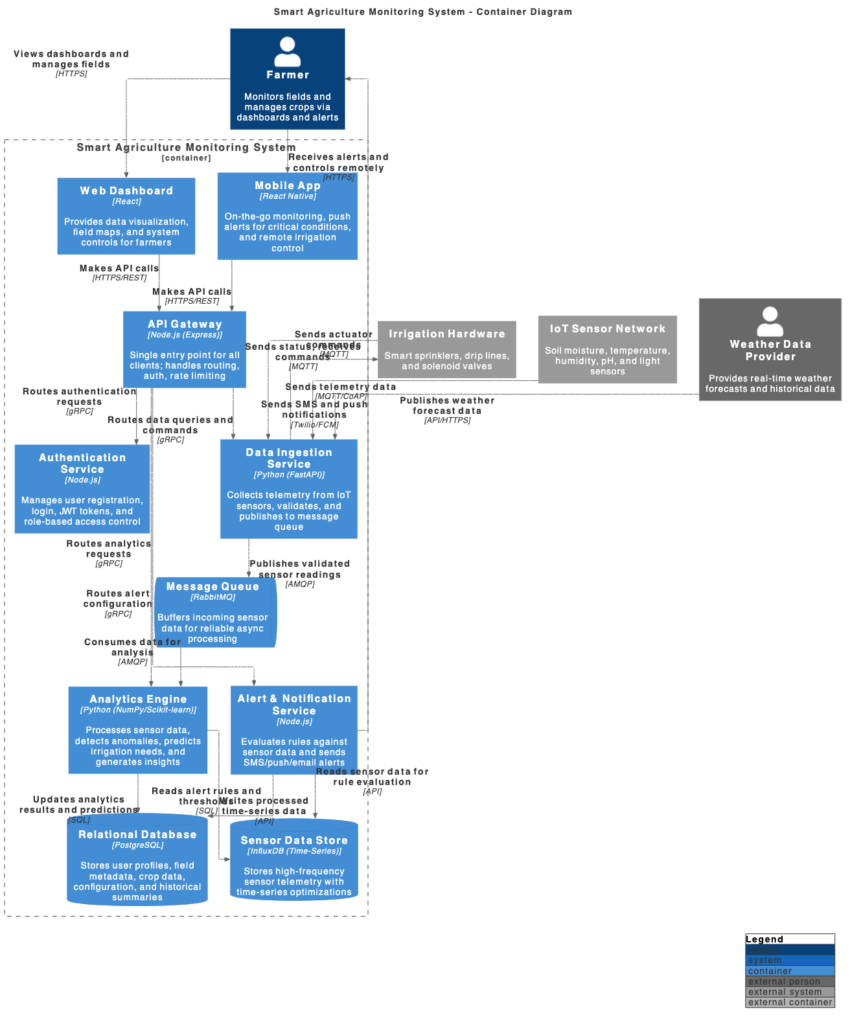
Smart Agriculture Monitoring System

C4 Container Diagram example of Smart Agriculture Monitoring System

“Create a C4 Container Diagram for a Smart Agriculture Monitoring System. “

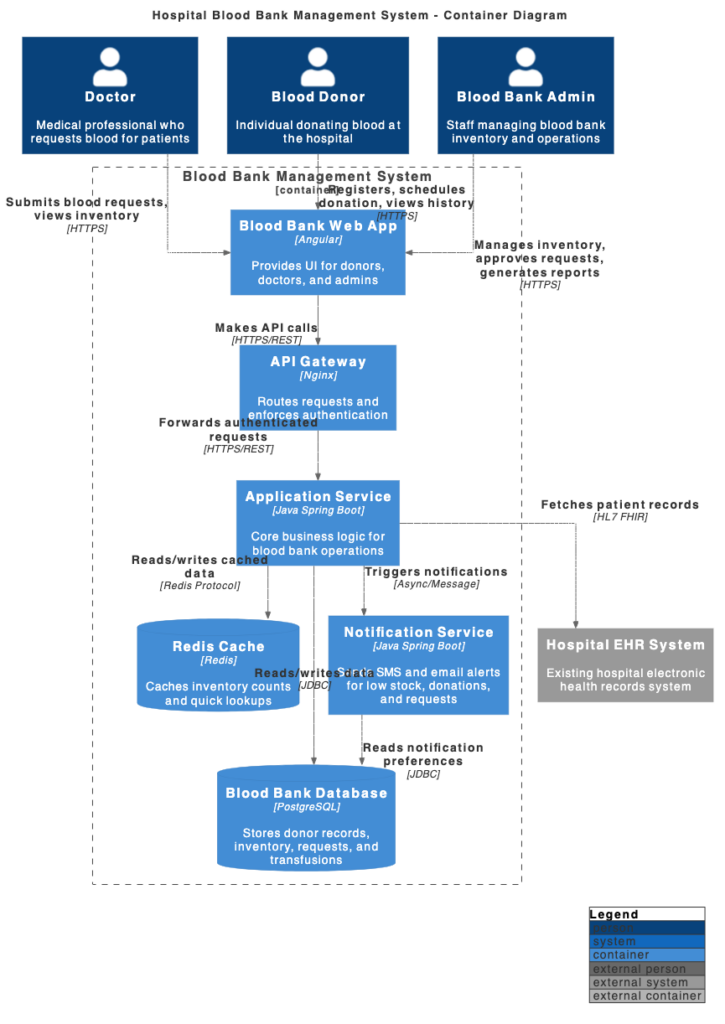
Hospital Blood Bank Management System

C4 Container Diagram example of Hospital Blood Bank Management System

“Show a C4 Container Diagram for a Hospital Blood Bank Management System.”

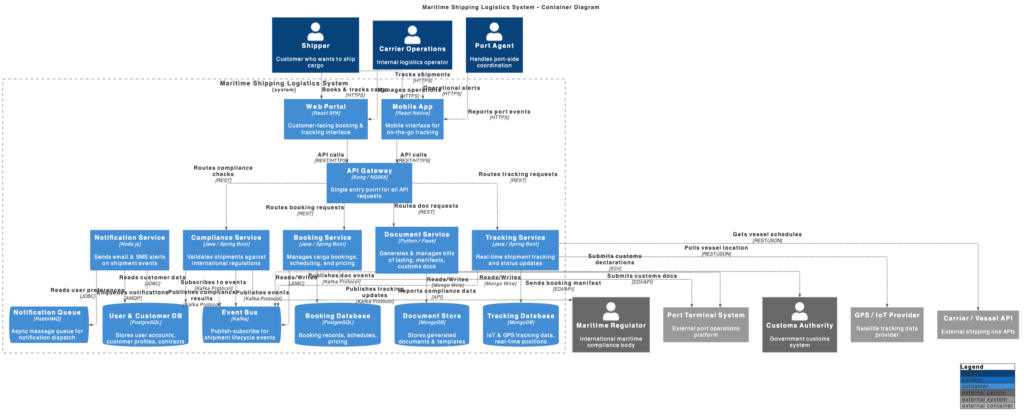
Maritime Shipping Logistics System

C4 Container Diagram example of Maritime Shipping Logistics System

“Show a C4 Container Diagram for a Maritime Shipping Logistics System.”

What Is a C4 Container Diagram?

A C4 Container Diagram represents the major executable parts of a software system, showing the key applications, services, databases, and storage elements that work together to deliver functionality. It highlights how responsibilities are distributed, which technologies power each container, and how they communicate.

Unlike the high-level System Context diagram, the Container Diagram takes you one step deeper into the technical structure. It focuses on the deployable and runnable units of the system, helping teams understand system boundaries, dependencies, and internal composition with clarity.

Key Concepts

C4 Container Diagram

A C4 Container Diagram models the high-level technology architecture of a system, showing containers (applications, services, databases) and their interactions with users, external systems, and each other. It sits between the System Context Diagram and Component Diagram in the C4 hierarchy.

  • System – The internal system being modeled.
  • SystemDb – A database within the system.
  • SystemQueue – A messaging or queuing system within the system.
  • System_Ext – An external system interacting with your system.
  • SystemDb_Ext – An external database system.
  • SystemQueue_Ext – An external messaging or queuing system.
  • Boundary – General boundary grouping elements.

  • Enterprise_Boundary – Defines the scope of the organization or enterprise.

  • System_Boundary – Defines the boundary of the system, separating internal containers from external systems.

  • Container_Boundary – Defines the boundary of a container, grouping its internal elements.

People / External Actors
  • Person – A human user interacting with the system.

  • Person_Ext – An external user or role outside the system boundary.

  • Container – A deployable application, service, or microservice that hosts components.

  • ContainerDb – A database container storing persistent data.

  • ContainerQueue – A messaging or queuing container.

  • Container_Ext – An external container interacting with your system.

  • ContainerDb_Ext – An external database container.

  • ContainerQueue_Ext – An external messaging container.

Ready to Revolutionize Your Workflow with AI?

Stop wrestling with tools. Embrace AI-powered visual modeling. Let our AI handle the visualization so you can focus on solving the bigger problems.

Scroll to Top