


Designing a Scalable E-Commerce Deployment with AI Intelligence
Building a resilient, high-performance web-based e-commerce platform demands more than just code—it requires a clear architectural vision. The challenge lies in visualizing how components like client browsers, load balancers, application servers, databases, and third-party services interact across infrastructure layers. This is where the Visual Paradigm AI Chatbot transforms conceptual thinking into precise, professional-grade diagrams—through natural conversation.
From Prompt to Precision: A Collaborative Design Journey
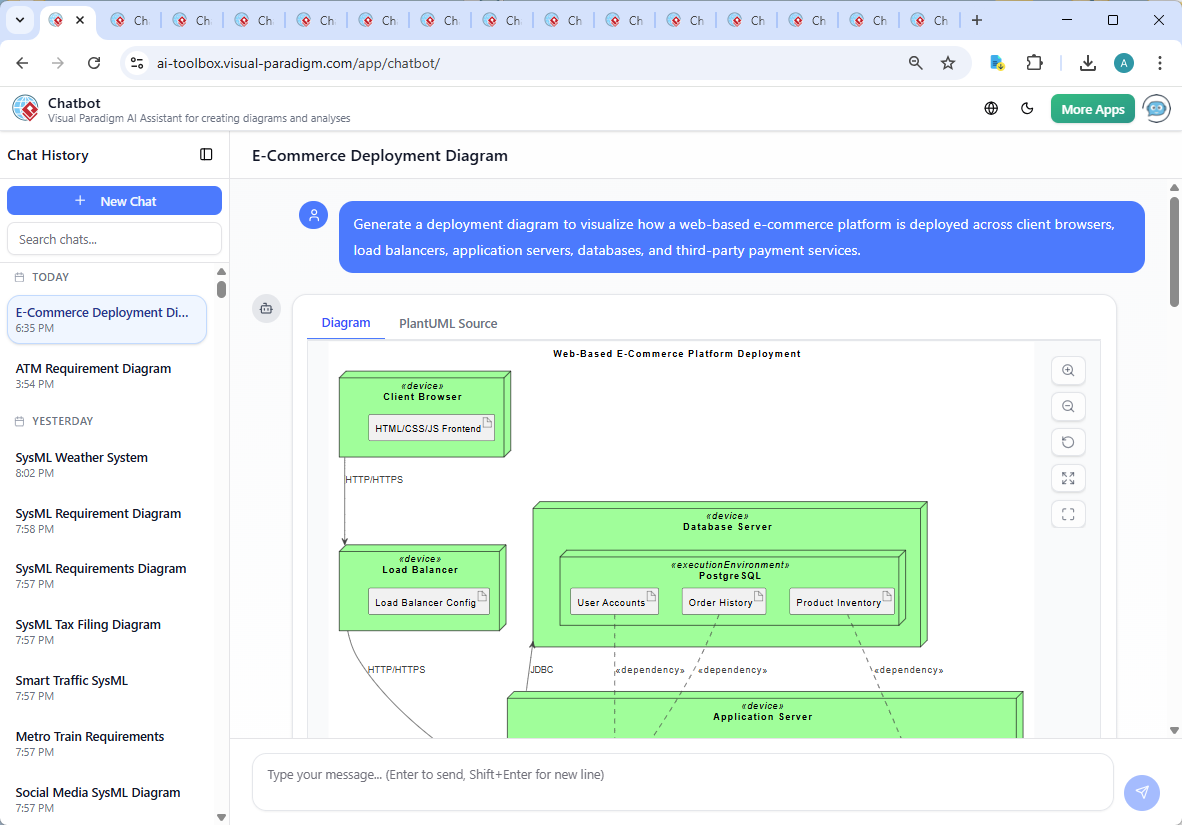
The journey began with a simple request: “Generate a deployment diagram to visualize how a web-based e-commerce platform is deployed across client browsers, load balancers, application servers, databases, and third-party payment services.” Within seconds, the Visual Paradigm AI Chatbot delivered a fully structured PlantUML script, complete with node hierarchies, artifact placements, and clear interaction semantics.
But the real value emerged in the conversation. When the user asked, “Can you explain how the load balancer distributes traffic between multiple application servers?”, the AI didn’t just restate the diagram—it expanded the narrative with technical depth, explaining:
- How algorithms like Round Robin and Least Connections manage traffic distribution.
- The role of session persistence in maintaining user sessions across requests.
- How health checks enable automatic failover and ensure system reliability.
These insights weren’t added after the fact—they were co-created in real time, demonstrating the AI Chatbot’s ability to act as a modeling consultant. The user could refine the logic with follow-up prompts like “Explain this branch” or “Refine the dependency model,” and the AI responded with precise, context-aware updates.
Decoding the Deployment Diagram: Architecture in Action
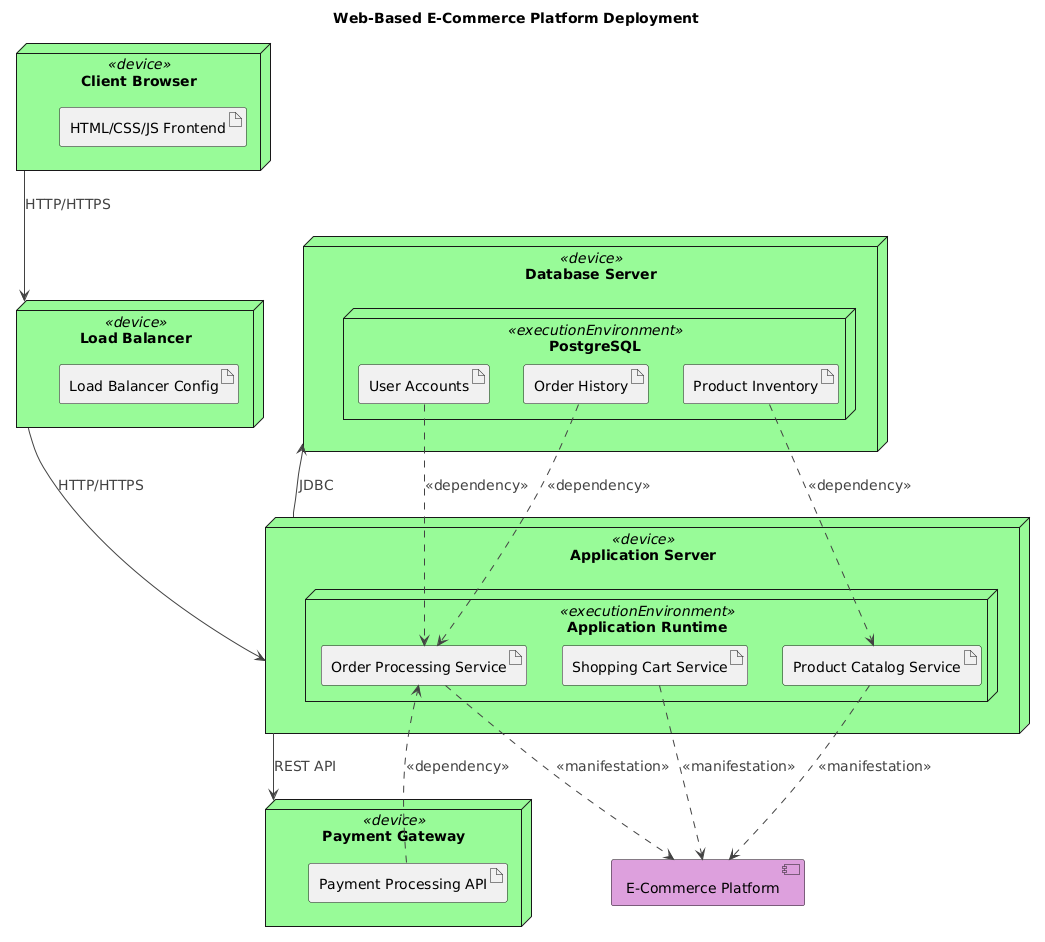
The final deployment diagram maps the e-commerce platform’s infrastructure with clarity and precision. Here’s a breakdown of the key components and their relationships:
Client Browser (Device)
Represents end-users accessing the platform via modern browsers. The frontend (HTML/CSS/JS) is deployed here, serving the user interface.
Load Balancer (Device)
Acts as the traffic gatekeeper. Incoming HTTP/HTTPS requests from clients are routed to backend application servers. The diagram uses a directional arrow to show this flow, indicating the load balancer’s role in distributing requests.
Application Server (Device)
Hosts the core business logic in the form of microservices:
- Shopping Cart Service: Manages user session-based cart data.
- Product Catalog Service: Handles product listings and search.
- Order Processing Service: Coordinates order creation, validation, and fulfillment.
Each service runs within an execution environment (App Runtime), ensuring isolation and scalability.
Database Server (Device)
Runs PostgreSQL as the persistent data store. Three key schemas are defined:
- Product Inventory: Tracks stock levels and product details.
- User Accounts: Stores authentication and profile data.
- Order History: Maintains records of completed transactions.
These are linked via dependency arrows to their respective services, showing data access patterns.
Payment Gateway (Device)
Represents a third-party service (e.g., Stripe, PayPal). The Order Processing Service communicates with the Payment Gateway via REST API to authorize transactions.
Key Interaction Patterns
- HTTP/HTTPS between client and load balancer.
- HTTP/HTTPS between load balancer and application server.
- JDBC between application server and database (standard for Java-based backends).
- REST API between application server and payment gateway.
The use of <>> and <> stereotypes ensures that the diagram isn’t just visual—it’s semantically rich, enabling developers, architects, and stakeholders to interpret the relationships accurately.
Conversational Intelligence: The AI Chatbot in Action
What sets Visual Paradigm apart is not just the diagram output—but the ability to engage in a dynamic, iterative design conversation. The AI Chatbot doesn’t generate static images; it acts as a collaborative expert, refining models based on user feedback.
For example, when the user asked for clarification on load balancing, the AI didn’t just describe the concept—it contextualized it within the diagram’s structure, explaining how health checks and session persistence would be represented in real deployments.
Moreover, the AI’s support extends beyond deployment diagrams. Whether you’re modeling enterprise architecture with ArchiMate, designing complex systems with SysML, or visualizing software architecture using the C4 Model, the AI Chatbot adapts to your standard of choice.
Beyond Deployment: A Unified Modeling Platform
Visual Paradigm’s AI Chatbot isn’t limited to deployment diagrams. It supports a full spectrum of modeling standards:
- UML: For class, sequence, and activity diagrams.
- ArchiMate: For enterprise architecture modeling (business, application, technology layers).
- SysML: For systems engineering and requirements modeling.
- C4 Model: For software architecture at multiple abstraction levels (Context, Containers, Components, Code).
- Organizational Charts, Mind Maps, PEST, SWOT, PERT, and more: For strategy, planning, and visualization.
This versatility means teams can use a single platform for all visual modeling needs—streamlining collaboration and reducing tool sprawl.
Conclusion: Architect with Confidence
Deploying a high-traffic e-commerce platform requires foresight, precision, and adaptability. The Visual Paradigm AI Chatbot turns architectural design into a conversational process—where ideas evolve through intelligent dialogue, and diagrams become living blueprints.
Explore the full deployment example and experience the power of AI-driven modeling at this shared session. Whether you’re a developer, architect, or product manager, you’re not just creating diagrams—you’re co-designing resilient systems with an AI partner.