


Transforming Software Update Logic into a Clear Sequence Diagram with AI Collaboration
Designing a reliable software update process requires precise modeling of interactions between devices, servers, and installation services. The challenge lies not just in capturing the flow, but in anticipating edge cases—like server unreachability—that impact real-world usability. With Visual Paradigm’s AI Chatbot, this process becomes a dynamic conversation, where every clarification refines the model with expert insight.
From Prompt to Precision: An Interactive Modeling Journey
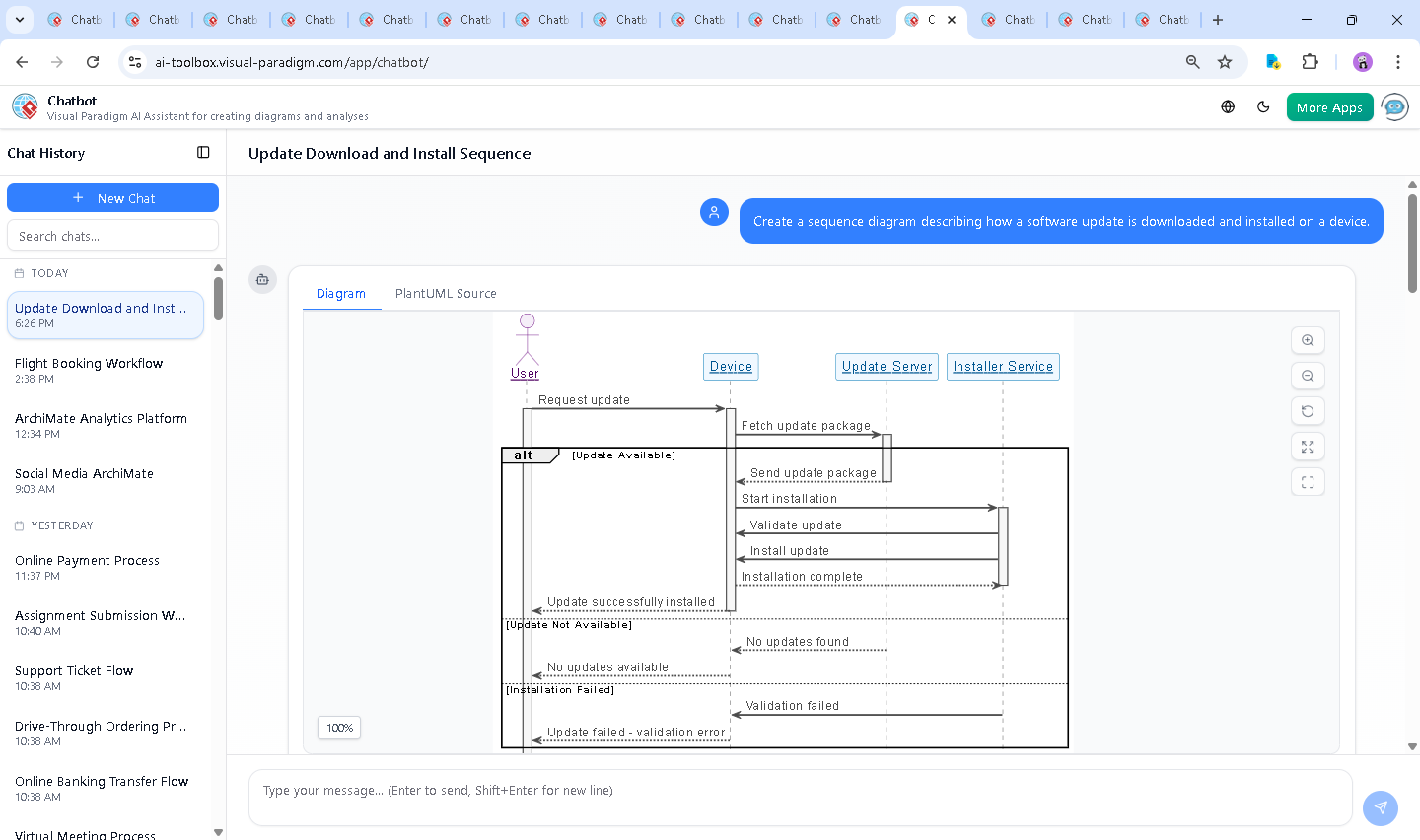
The journey began with a simple request: “Create a sequence diagram describing how a software update is downloaded and installed on a device.” Within seconds, the AI Chatbot delivered a fully rendered PlantUML-based sequence diagram, complete with participants, activation bars, and conditional logic. But the real value emerged in the conversation that followed.
When the user asked, “What happens if the update server is unreachable during the download process?”, the AI didn’t just add a new branch—it contextualized the failure scenario with operational realism. It explained the technical behaviors: timeout thresholds, fallback mechanisms, retry logic, and user feedback protocols. The response included a revised diagram with a clear alt Server Unreachable block, showing how the system gracefully handles network failures.
Each follow-up request—such as “Explain this branch” or “Refine the logic for retry behavior”—was met with structured, technically accurate explanations. The AI didn’t just generate diagrams; it acted as a modeling consultant, ensuring the design reflected not just sequence, but resilience.
Decoding the Sequence Diagram Logic
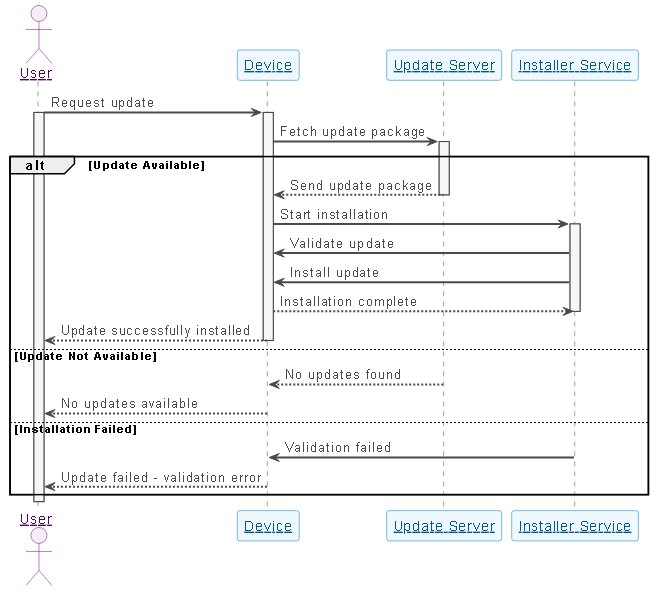
The final sequence diagram models a real-world software update lifecycle with precision. Here’s how each element contributes to clarity and correctness:
- Actor: User initiates the update request—representing the end-user or system trigger.
- Device acts as the central coordinator, communicating with the update server and orchestrating installation via the Installer Service.
- Update Server responds with either the update package or a failure signal.
- Installer Service handles validation and execution—critical for security and integrity.
The use of alt blocks reflects decision points in the process:
- Update Available: The server sends the package, and installation proceeds.
- Server Unreachable: A timeout or connection refusal triggers a failure response, with a retry message to the user.
- Validation Failed: If the update package is corrupted or incompatible, the installer rejects it.
The choice of sequence diagram notation is essential here. It captures the temporal order of interactions, shows lifelines, and highlights conditional flows—making it ideal for modeling time-sensitive processes like software updates.
AI-Powered Insight Through Conversation
What sets Visual Paradigm apart is not just the diagram output, but the depth of collaboration. The AI Chatbot doesn’t operate in isolation—it learns from context, refines logic, and anticipates follow-up questions.
For example, after the initial diagram was generated, the user requested clarification on failure handling. The AI responded with a breakdown of fallback strategies, including exponential backoff, mirror servers, and logging—providing architectural depth beyond the diagram itself.
Each iteration built on the last, demonstrating how the AI functions as a design partner. This isn’t a one-time generation tool—it’s a conversational modeling environment where logic evolves through dialogue.
Beyond Sequence Diagrams: A Unified Modeling Platform
While this example focuses on a sequence diagram, the Visual Paradigm AI Chatbot is built to support a full spectrum of modeling standards. Whether you’re designing enterprise architecture with ArchiMate, modeling complex systems with SysML, or visualizing software architecture with C4 Model, the AI adapts to your needs.
For instance, the same AI can:
- Convert a business requirement into a C4 context diagram.
- Generate an ArchiMate model showing application components and their dependencies.
- Transform a user story into a SysML requirement diagram with traceability.
This versatility makes Visual Paradigm not just a diagramming tool, but a complete AI-powered visual modeling platform—where conversation drives design, and intelligence shapes architecture.
Conclusion: Design with Confidence, Not Guesswork
Creating accurate, resilient software models shouldn’t require deep expertise in diagram syntax or hours of trial and error. With Visual Paradigm’s AI Chatbot, you get a collaborative environment where every question leads to a more complete, actionable design.
Whether you’re modeling a simple update flow or a complex enterprise system, the AI guides you through each step—transforming ideas into precise, standards-compliant models.
Ready to build smarter? Explore the live session and experience how the AI Chatbot turns your vision into a structured, intelligent model—crafted using the Visual Paradigm AI Chatbot.