


From Idea to Precision: How the Visual Paradigm AI Chatbot Designs Realistic Video Call Sequence Diagrams
Designing a clear, accurate sequence diagram for a video conference system requires more than just drawing lines and boxes. It demands a deep understanding of user workflows, system interactions, and failure scenarios. That’s where the Visual Paradigm AI Chatbot becomes an indispensable collaborator—transforming abstract ideas into structured, actionable models through natural conversation.
Interactive Journey: The Conversation That Built the Diagram
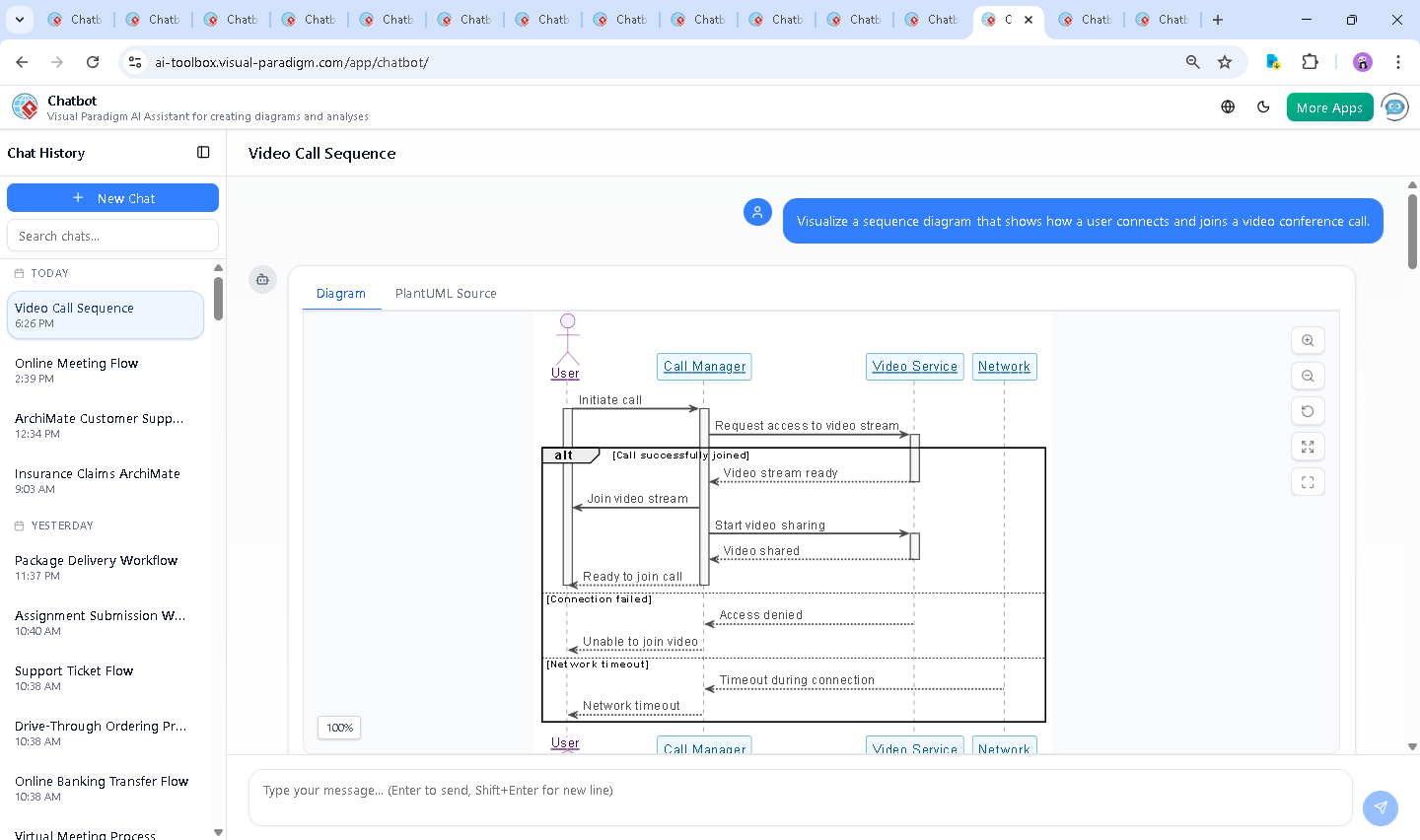
The journey began with a simple prompt: “Visualize a sequence diagram that shows how a user connects and joins a video conference call.” The AI Chatbot didn’t just generate a static image—it initiated a dialogue, interpreting intent and shaping the model step by step.
After the initial request, the user asked, “Explain this diagram.” This wasn’t a request for a summary—it was a call for deeper insight. The AI responded with a detailed breakdown of each participant, message flow, and branching logic. It didn’t just describe the diagram; it contextualized it, highlighting how the alt blocks model real-world failure states like access denial and network timeouts—critical for robust system design.
Even after the diagram was delivered, the conversation continued. The user could ask to refine the logic, add color, or convert it to another standard—proof that the AI isn’t a one-off generator, but a conversational modeling expert.
Logic Breakdown: Why This Sequence Diagram Works
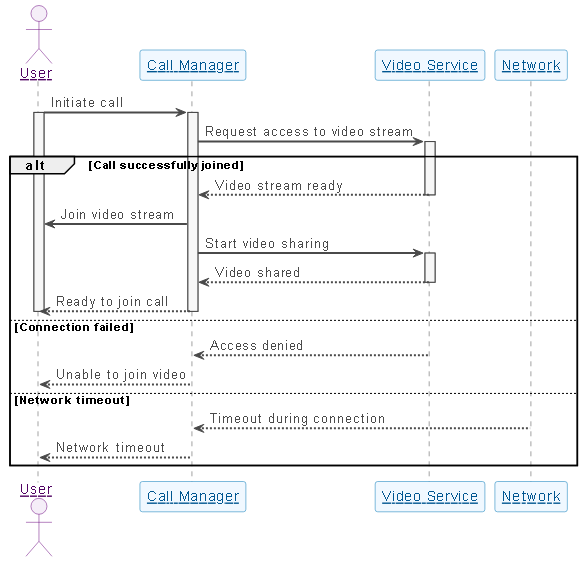
The sequence diagram models a realistic video call onboarding process using UML notation. Here’s how each element contributes to clarity and precision:
1. Participant Roles and Responsibilities
- User (USR): Initiates the call and receives feedback.
- Call Manager (CM): Acts as the orchestrator, validating requests and managing handoffs.
- Video Service (VS): Handles video stream availability and access control.
- Network (NW): Represents the external dependency—latency and reliability.
2. Message Flow and Control
USR → CM: Initiate callstarts the process.CM → VS: Request access to video streamtriggers the core validation.- The
altblock introduces realistic branching:- Success path: Video stream ready → user notified → sharing begins.
- Failure paths: Access denied or network timeout are explicitly modeled, avoiding the illusion of flawless operation.
3. Why Sequence Diagrams? Why This Notation?
Sequence diagrams are ideal here because they show:
- Temporal order of interactions.
- Responsibility mapping across components.
- Asynchronous behavior (e.g., network timeouts).
- Error handling in a visual, traceable way.
The use of activate and deactivate markers visually indicates when each component is active—critical for identifying bottlenecks or timing issues during development.
Conversational Value: AI as a Modeling Consultant
What sets Visual Paradigm apart isn’t just the diagram—it’s the conversation that builds it. The AI doesn’t just output code; it learns from follow-up requests and adapts.
When the user asked for an explanation, the AI didn’t just restate the diagram. It provided:
- Role definitions for each participant.
- Failure mode analysis.
- Design rationale behind the
altstructure. - Practical implications for developers and product teams.
This level of insight transforms the AI from a tool into a design partner.
Platform Versatility: One AI, Many Standards
While this example focused on a sequence diagram, the Visual Paradigm AI Chatbot isn’t limited to UML. It supports a full spectrum of modeling standards, including:
- ArchiMate: For enterprise architecture, modeling business, application, and technology layers.
- SysML: For systems engineering, capturing requirements, behavior, and structure.
- C4 Model: For software architecture, visualizing context, containers, components, and code.
- Mind Maps: For brainstorming and knowledge organization.
Whether you’re designing a payment system, a cloud architecture, or a user journey, the AI Chatbot adapts to your standard of choice—making Visual Paradigm the only platform where AI-driven modeling spans the entire enterprise design lifecycle.
Conclusion & CTA
Creating a high-fidelity sequence diagram isn’t about drawing—it’s about thinking. The Visual Paradigm AI Chatbot turns that thinking into reality, one conversation at a time.
Whether you’re a developer debugging a video call flow, a product manager defining user expectations, or an architect mapping system dependencies, the AI Chatbot delivers precision, clarity, and context—without requiring deep modeling expertise.
Try it today: Explore the live session and experience how AI is redefining visual modeling.