Flowchart Diagram
Instant Flowchart Creation
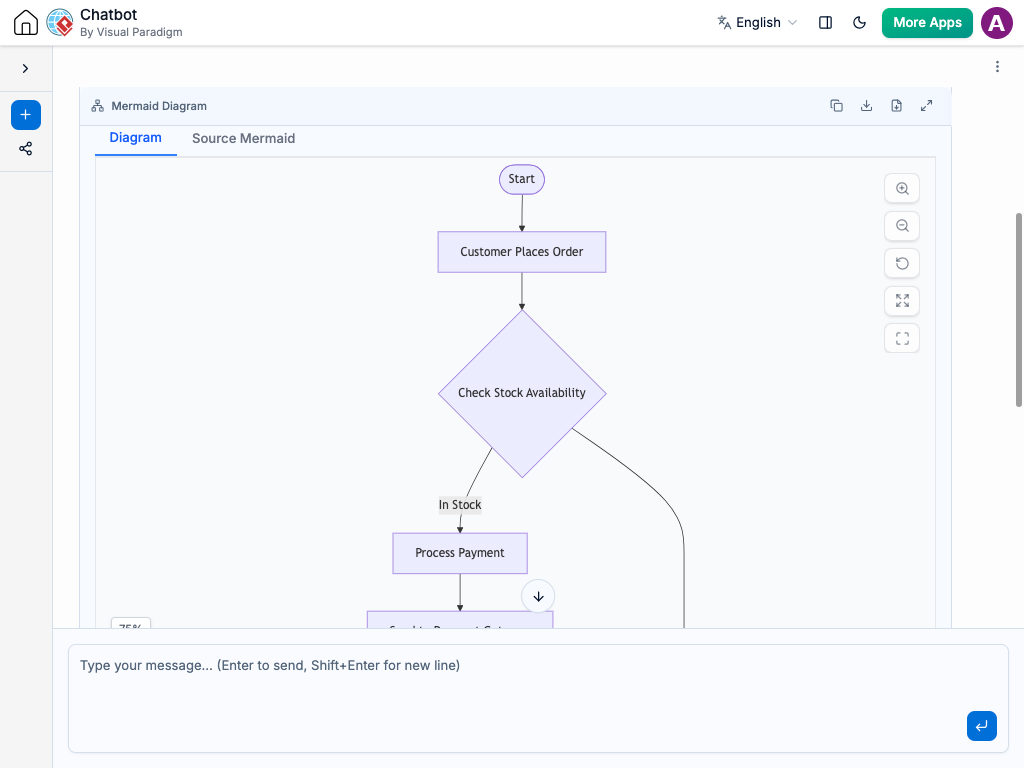
With the AI chatbot, mapping out your business processes becomes much easier. Instead of manually drawing boxes, routing directional lines, and aligning diamond decision points, you can simply describe your workflow in plain language.
The chatbot converts your explanation into a clean Flowchart that highlights how tasks progress, where choices are made, and what the final outcomes are. Whether you are documenting a customer support protocol or mapping a complex software backend process, the AI quickly generates a clear visual map of your sequence.
Refine the Logic Through Conversation
Workflows are rarely perfect on the first try, so the AI lets you “stress-test” your process logic through chat. You can ask the AI to:
Add a condition: “What happens if the user forgets their password?”
Insert a step: “Add a notification check right after the manager approves the request.”
Fix loops: “Make sure the process goes back to the review stage if the document is rejected.”
The diagram updates instantly, automatically rearranging the connecting lines and shapes so your visual layout stays clean and readable. This conversational approach helps you uncover dead ends, shorten complex loops, and ensure your workflow handles every scenario gracefully.
Standard Shape Library: Automatically uses correct ISO-standard shapes for terminals, processes, decisions, and inputs.
Dead-End Detection: Validates your logic to ensure every branch eventually leads to an endpoint without getting stuck.
Auto-Routing Connections: Instantly handles line routing, keeping arrows straight and eliminating overlapping lines.
Clean Condition Splits: Cleanly separates “Yes” and “No” paths from decision diamonds for effortless readability.
Process Standardization: Converts scattered operational habits into structured, easy-to-follow company procedures.
Bottleneck Discovery: Visually highlights complex, multi-step sub-routines that might be slowing down your operations.
Examples of Generating Flowcharts
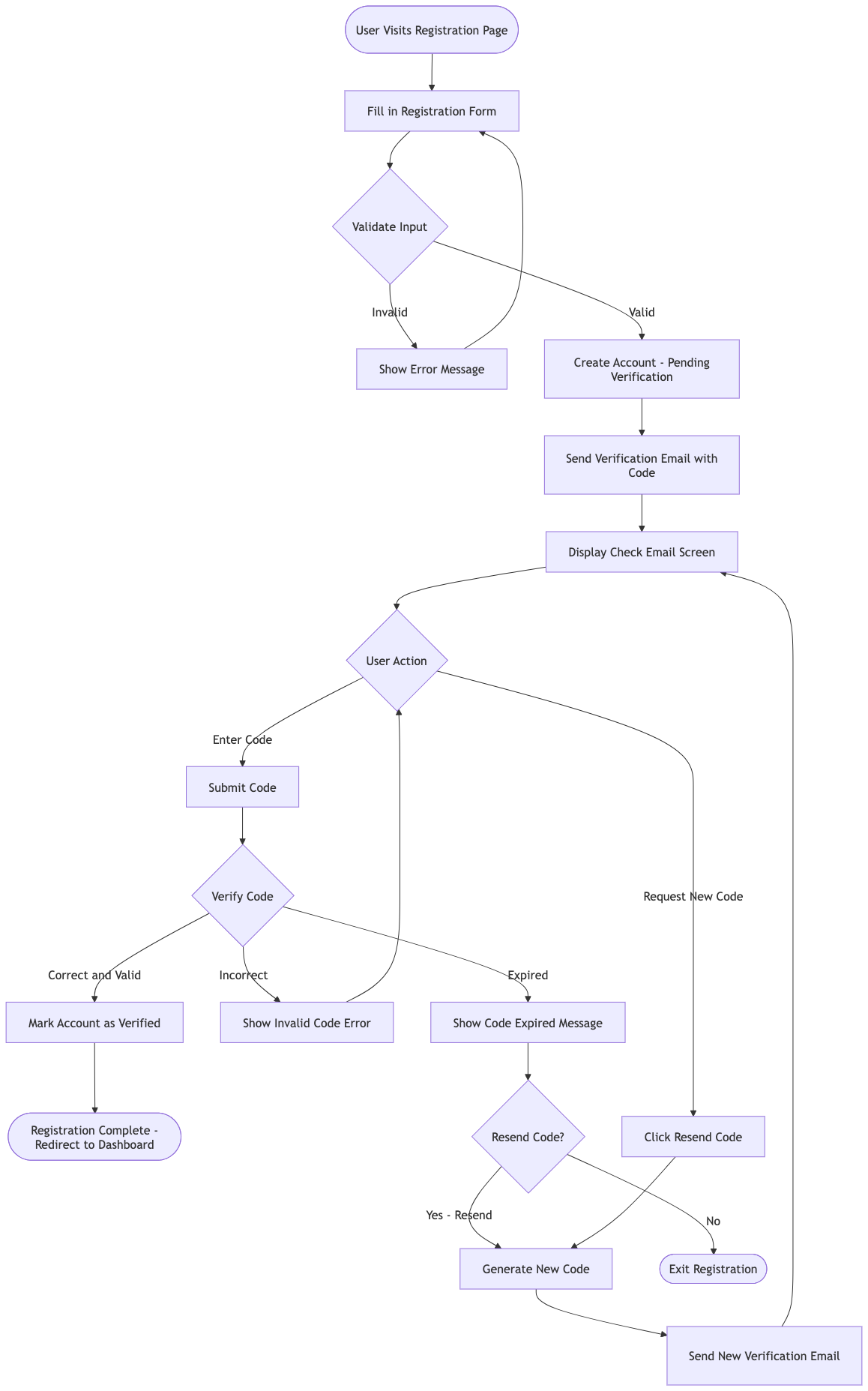
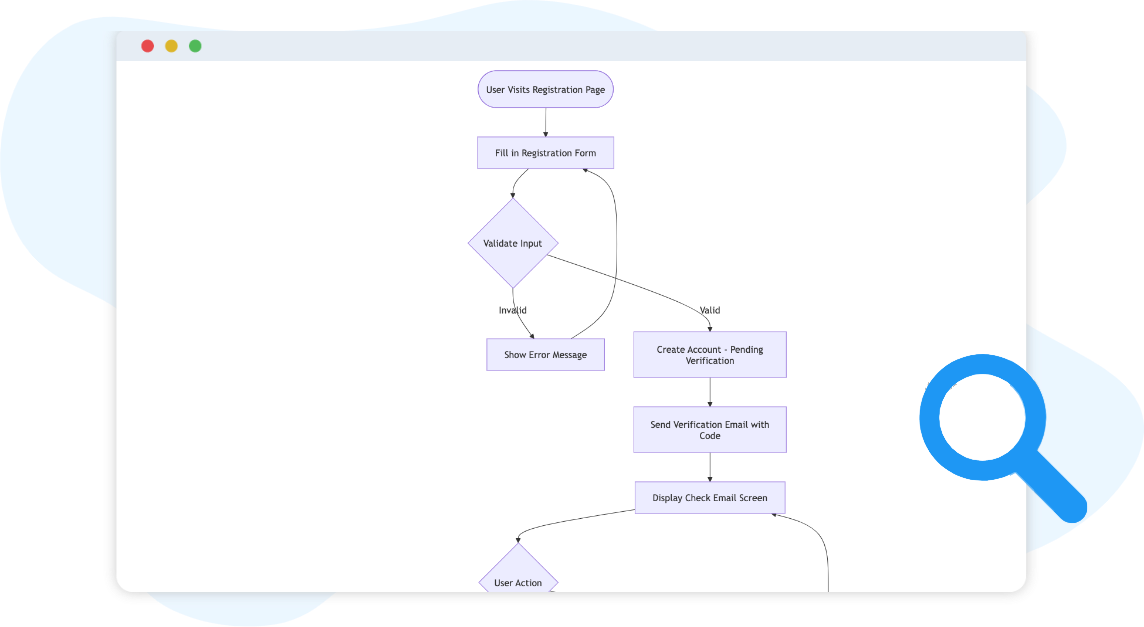
“Generate a flowchart for a user registration workflow including email verification and an option to resend the code if it expires.”
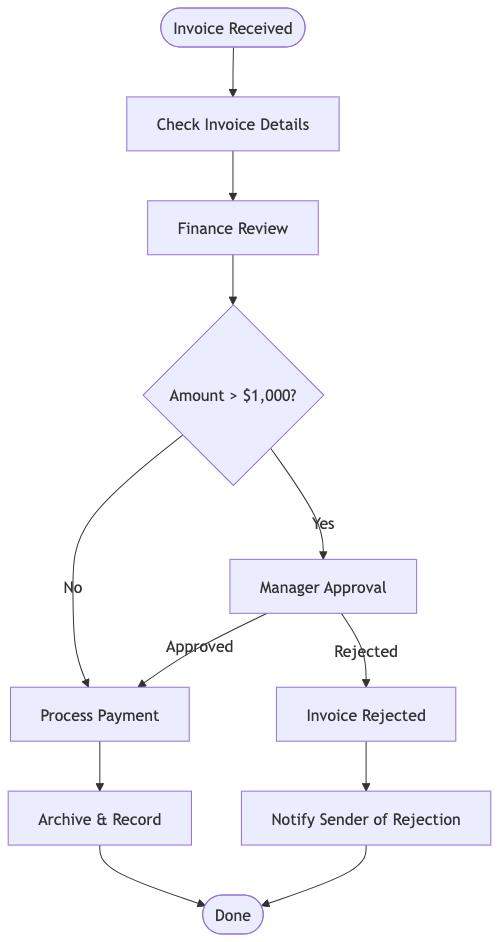
“Create a flowchart showing how an invoice gets received, reviewed by finance, approved by a manager if it is over $1,000, and paid.”
“Generate a flowchart for a product development launch checklist showing market research, goal alignment, and budget approval steps.”
What Is a Flowchart?
A Flowchart is a sequential visual tool used to show the step-by-step progress of a workflow or process. By breaking down an operational concept into distinct shapes and arrows, it strips away language confusion and reveals the exact mechanics of how a system behaves from start to finish.
The 4 Simple Elements of Your Process Map:
Terminators (The Boundaries): These rounded rectangles mark the official Start or End of the process.
Processes (The Actions): These rectangles represent a specific task, action, or operation being performed.
Examples: Send Confirmation Email, Log to Spreadsheet.
Decisions (The Choices): These diamonds display a question or condition that splits the process into separate paths, typically labeled Yes and No.
Examples: Is Payment Approved? Is User Logged In?
Connectors (The Directions): The arrows that direct the reader from one shape to the next, proving exactly how the workflow flows.