


Custom AI Endpoint Support
Why Configure a Custom AI Endpoint?
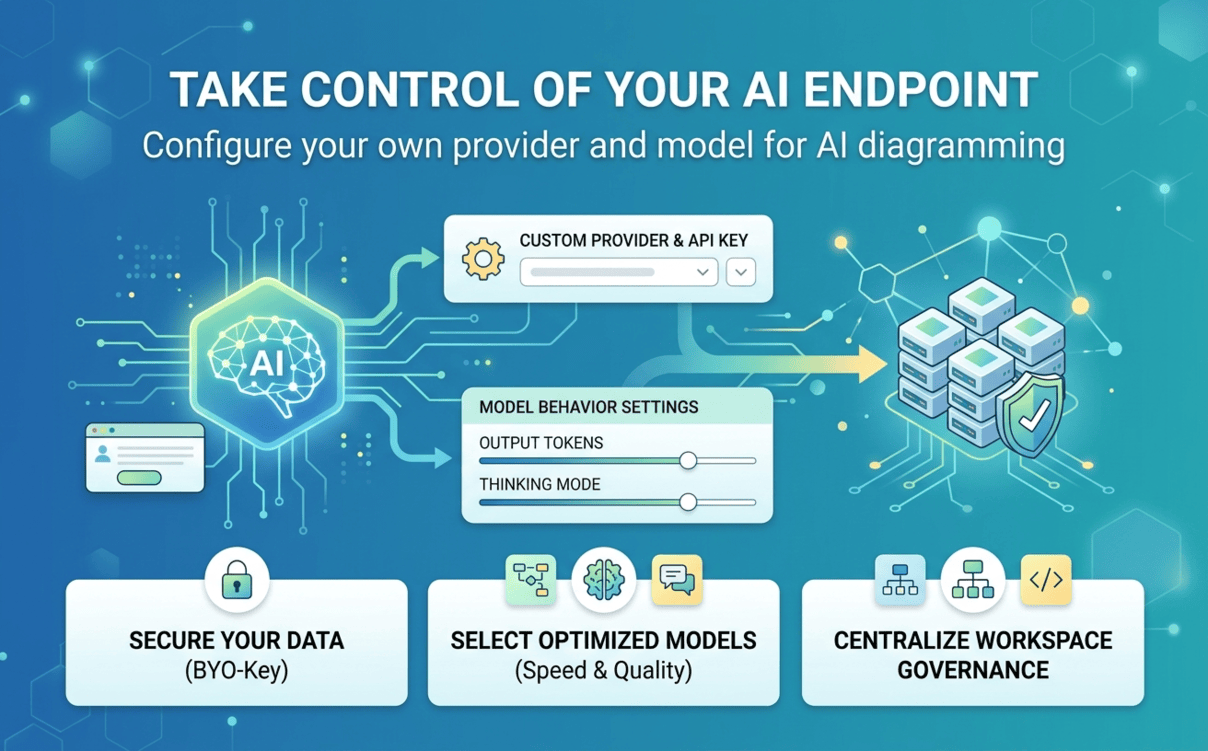
Enterprise Data Governance
Ensure all AI requests strictly follow your company's approved security standards, compliance frameworks, and internal data residency rules.
Strategic Model Selection
Deploy high-throughput models for fast diagram creation, or utilize deep-reasoning models for multi-layer architecture generation and code fixes.
Cost & Usage Optimization
Apply your own corporate API keys to take advantage of enterprise pricing, manage custom token limits, and centralize spend monitoring.
Optimized Latency & Performance
Choose region-specific providers and localized endpoints to minimize network hops, eliminate cross-border delay, and boost throughput for distributed teams.
Key Benefits for Your Workspace
Enterprise Security & Governance
Complete Infrastructure Control
Tailored Model Flexibility
Operational Consistency
Regional Performance Optimization
Direct Cost & Budget Management
How to Configure Your Custom Endpoint
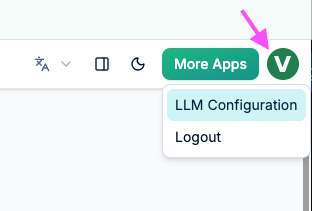
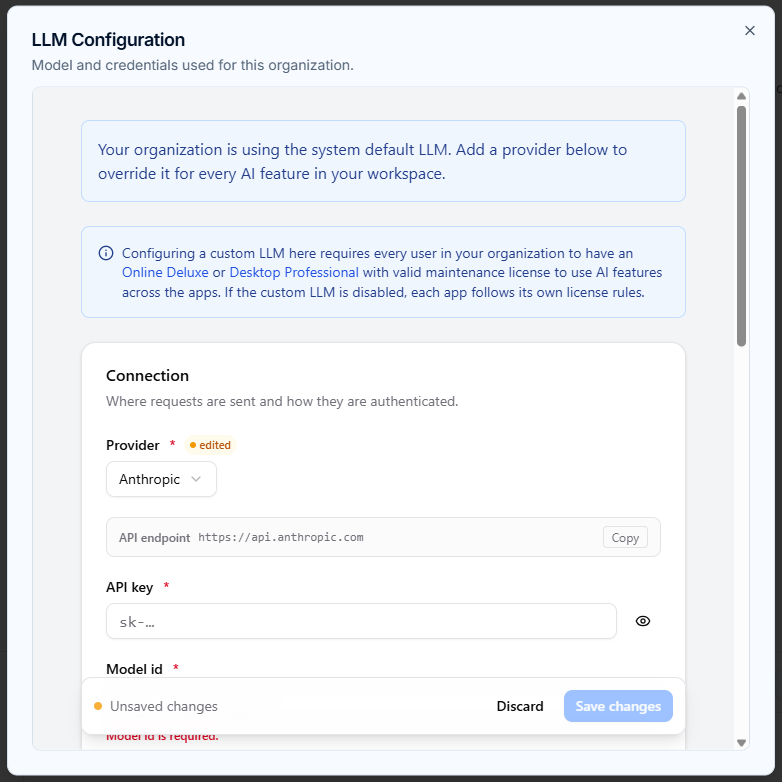
Enter Provider & Credentials
Navigate to the LLM Configuration page, select your approved AI Provider, paste your organization’s API Key, and specify the target Model ID.
Fine-Tune Model Behavior
Adjust operational parameters to fit your needs. Configure Max output tokens for longer outputs or set Reasoning effort / Thinking mode where supported.
OpenAI
+More
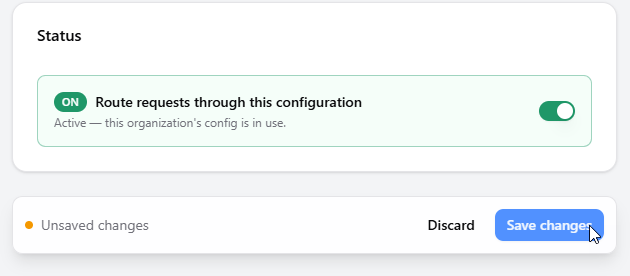
Enable Routing & Save
Toggle on Route requests through this configuration and click Save changes. Your custom setup immediately applies to all eligible workspace users.
Model Performance Benchmarks
Fast Response
High-Speed Models
- MiniMax-M2.7-highspeed
- claude-sonnet-4-6
- glm-5.3 / glm-5.3-flash
- deepseek-v4-flash-0731
- gpt-5.6-luna / sol / terra
- gemini-3.6 / 3.7 flash
- qwen3.8-max / flash
- grok-4.6 / mistral models
Deep Response
High-Reasoning Models
- MiniMax-M2.7 / MiniMax-M3
- claude-opus-4-6-thinking
- glm-5.2
- kimi-k3
Workspace & Licensing Requirements
Custom AI endpoint support is a workspace-wide feature available to organizations on eligible software editions:
- VP Online: Deluxe Edition or higher
- VP Desktop: Professional Edition or higher
- Configuration permissions are granted exclusively to the Workspace Manager.
- All users within the workspace must hold a qualifying license to utilize custom endpoint capabilities.
Require Self-Hosted or Private LLM Deployment?
If your organization requires internally hosted models, dedicated on-premises infrastructure, or custom endpoint integrations for unlisted tools, our Enterprise Solutions Team can build a customized support plan.
Frequently Asked Questions
Who is authorized to set up or modify the custom AI endpoint?
Only designated Workspace Managers hold administrative rights to configure, edit, or delete the custom AI endpoint settings for an entire workspace.
What license is required for team members to use the custom endpoint?
Team members must hold an active qualifying license—specifically VP Online Deluxe Edition (or higher) or VP Desktop Professional Edition (or higher). Unlicensed users will not be able to send requests through the custom endpoint.
What occurs if the custom configuration is deleted?
Removing the configuration from the Danger Zone immediately revokes the setup workspace-wide. All team AI requests will instantly revert to Visual Paradigm's system-default model.
Do all AI capabilities in Visual Paradigm use the custom endpoint once enabled?
No. Custom routing applies exclusively to supported tools (AI Diagramming Chatbot, VPasCode, VPP Chatbot, and Desktop AI Diagram Generation). Unlisted features will maintain their default operational models.