


Stepwise Flowchart
A Stepwise Flowchart breaks down complex procedures into sequential, easy-to-follow steps to guide users, teams, or applications through structured workflows.
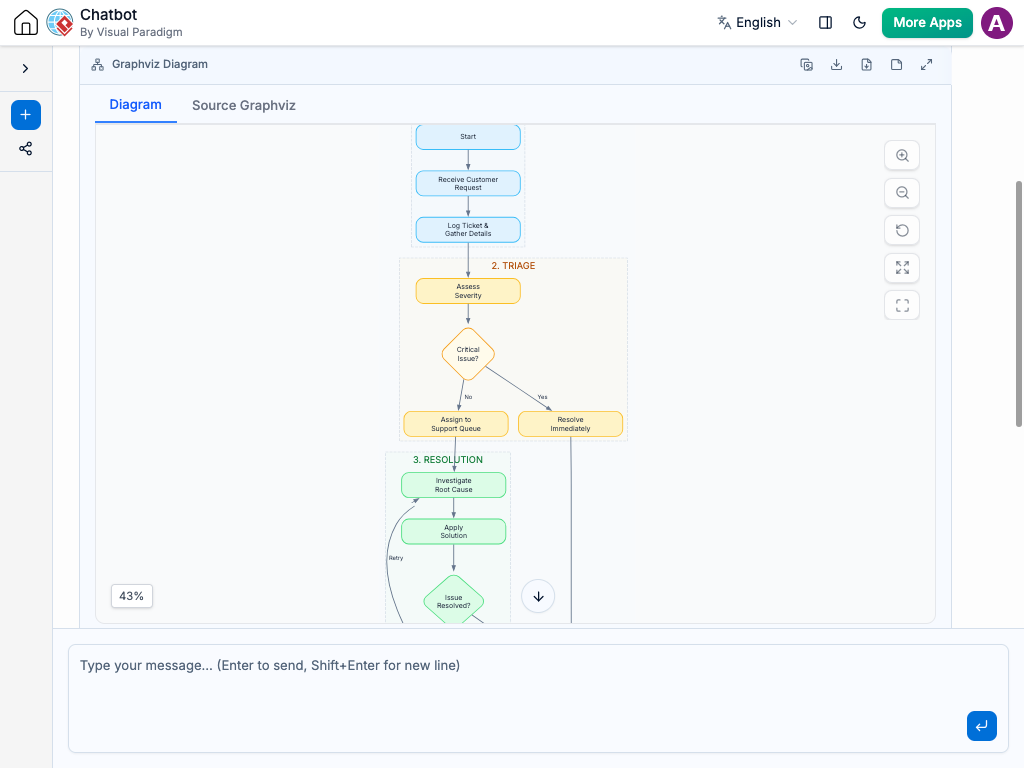
Instant Stepwise Flowchart Creation
Designing linear guides, user onboarding flows, or step-by-step standard operating procedures shouldn’t require manual shape positioning and alignment. Instead of drawing step blocks, numbering sequences, and connecting arrows manually, you can simply describe your step-by-step process to the AI Chatbot.
The system transforms your description into a clear, structured Stepwise Flowchart. It automatically organizes action steps in numerical order, highlights transition triggers between phases, and ensures every step is logically connected. Whether you are mapping a user verification flow or a multi-stage approval process, you get an easy-to-follow visual guide in seconds.
Refine Sequential Steps Through Conversation
Updating process steps and tweaking stage sequences is effortless using natural language. You can fine-tune your step-by-step workflow directly inside the chat interface by entering requests like:
Insert or remove steps: “Insert a step between Step 2 and Step 3 asking the user to confirm their shipping address.”
Add decision branches: “At Step 4, add a branch for existing users that skips directly to Step 6.”
Update step descriptions: “Shorten the title for Step 1 to ‘Account Setup’ and add bullet points for required fields.”
The flowchart updates instantly, automatically renumbering steps and adjusting line connections so your visual flow remains clean and sequential.

Automatic Sequential Formatting: Instantly numbers and orders process steps in a clean, top-to-bottom or left-to-right linear structure.
Clear Onboarding & Guidance: Perfect for creating user guides, standard operating procedures (SOPs), and multi-step UI wizards.
Easy Step Renumbering: Dynamically reorders and renumbers steps whenever you insert, delete, or swap process stages.
Reduced Human Error: Helps teams standardize operational tasks by making sequential requirements crystal clear.
Examples of Generating Stepwise Flowcharts
User Account Verification Flow
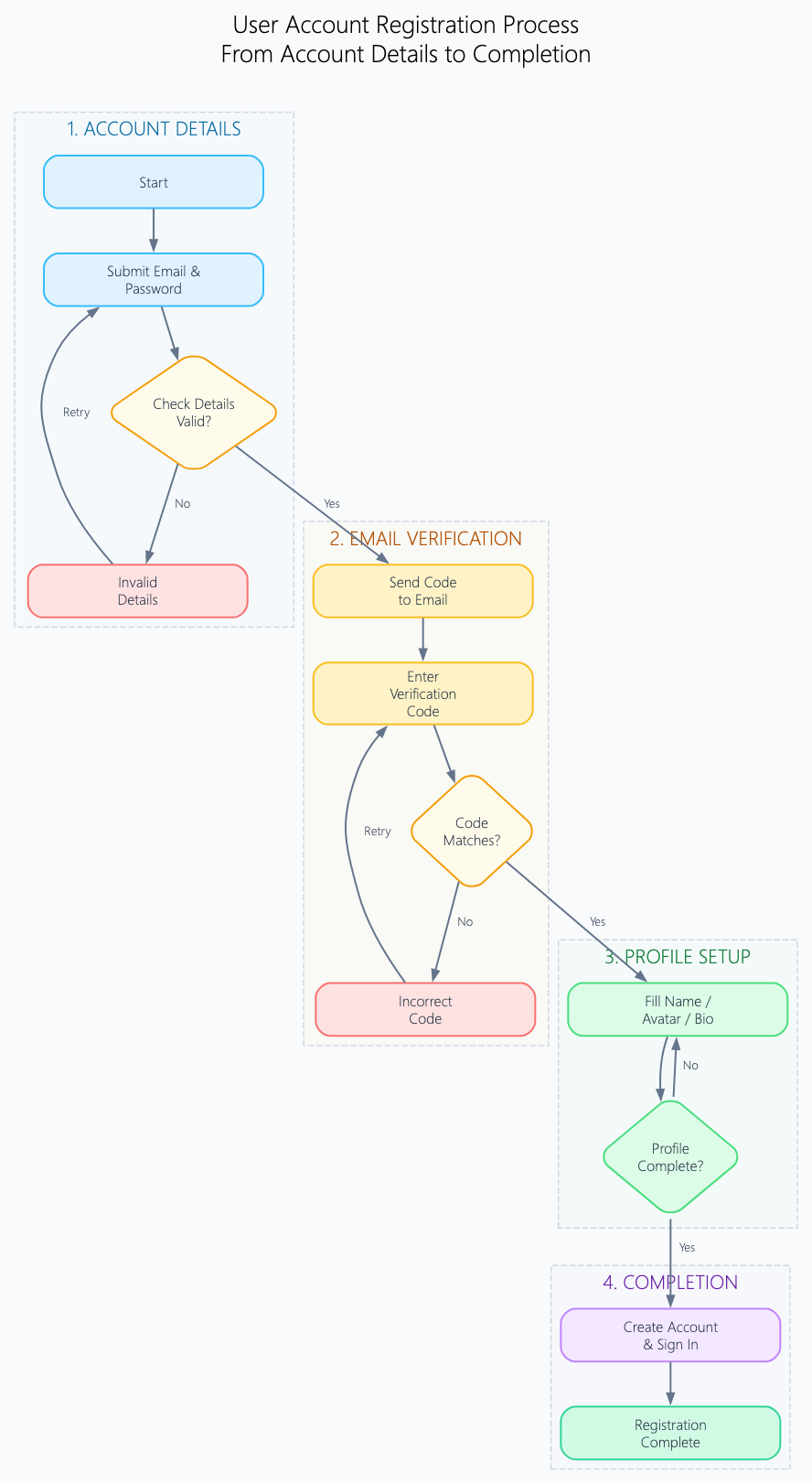
“Generate a stepwise flowchart for user account registration, including account details submission, email verification code entry, profile setup, and completion.”
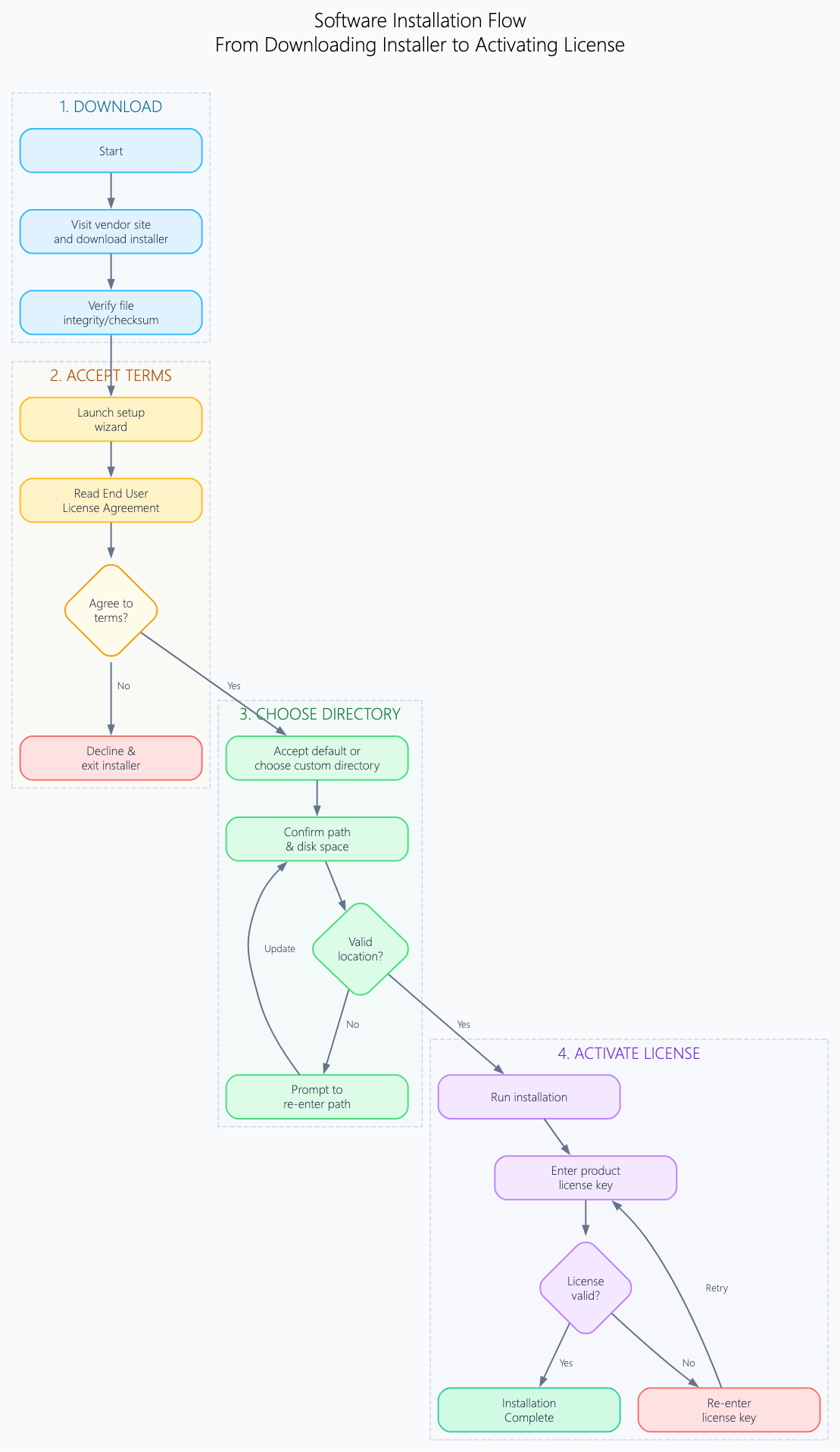
“Create a step-by-step flowchart guiding a user through downloading the software installer, accepting terms, choosing installation directory, and activating license.”
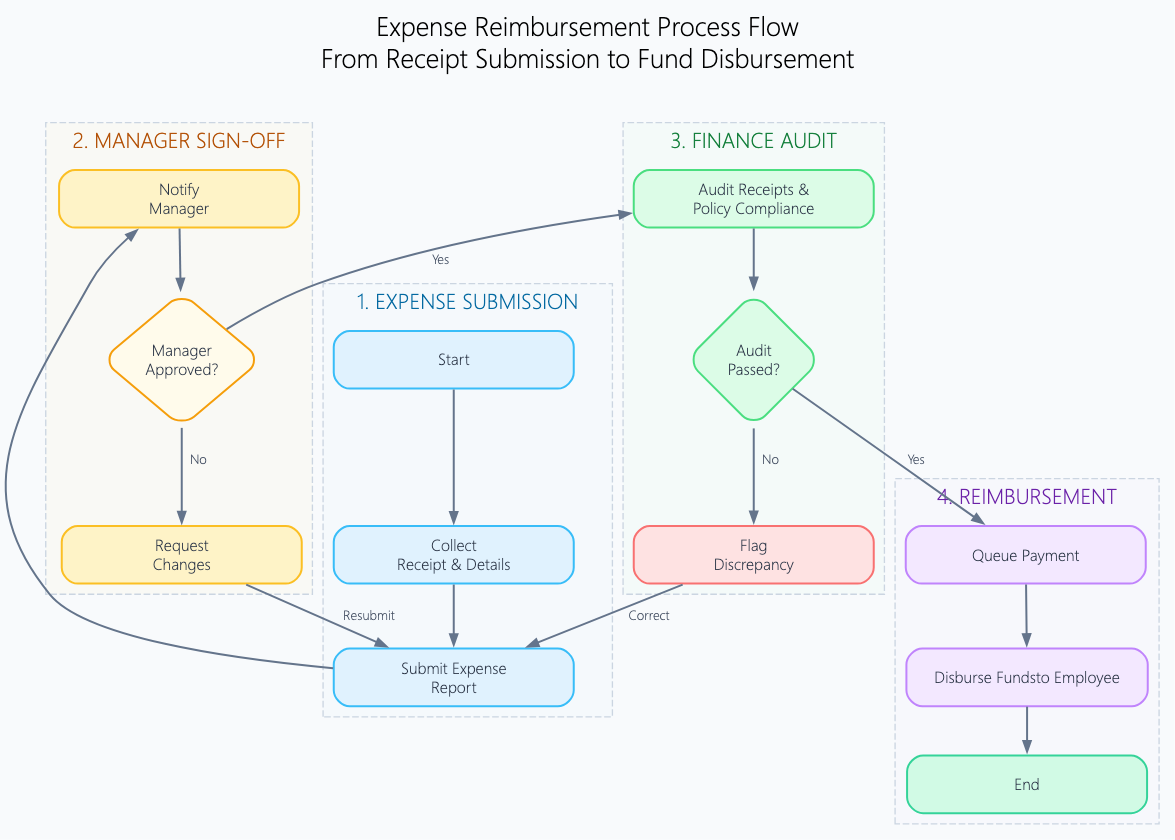
“Create a stepwise process diagram showing how an employee submits an expense receipt, gets manager sign-off, passes finance audit, and receives reimbursement.”
What is a Stepwise Flowchart?
A Stepwise Flowchart is a linear diagram that illustrates a sequential, step-by-step process from start to finish. Unlike complex flowcharts with branching logic loops, a stepwise flowchart emphasizes clarity and progression, guiding a viewer through distinct, ordered milestones or instructions.
Stepwise flowcharts are widely used by product managers, UX designers, operations teams, and technical writers to map out user onboarding flows, customer checkout journeys, software setup instructions, and administrative procedures.
Key Concepts
Numbered Steps
Sequential markers (e.g., Step 1, Step 2, Step 3) that explicitly state the required order of operations.
Phase Blocks
Visual containers that group related mini-tasks under broader stage headings (e.g., Phase 1: Verification).
Action Connectors
Directional arrows that guide the viewer smoothly from one completed step to the next.
Checkpoint Conditions
Gatekeeper steps where specific prerequisites must be met before advancing to the next step.
Completion Node
The terminal step representing the successful outcome or finished process state.
Ready to Guide Your Users with Clear Stepwise Flowcharts?
Stop manually renumbering boxes and aligning arrows. Turn complex multi-step processes into clear, guided stepwise flowcharts instantly through simple conversation.