


Mapping the Online Assignment Submission Logic
Visualizing complex workflows in educational technology systems is essential for both developers and educators. The AI Activity Diagram generator within Visual Paradigm enables users to quickly transform natural language prompts into structured, professional diagrams—without needing deep technical expertise. In this example, we explore the workflow of submitting an assignment through a learning management system (LMS), crafted using the Visual Paradigm AI Chatbot.
When a user enters the prompt: “Visualize the workflow of submitting an assignment on an online learning management system,” the AI instantly generates a detailed activity diagram that models every step—from login to final submission confirmation. This real-time diagramming capability is powered by Visual Paradigm, the comprehensive AI-powered visual modeling platform, which supports multiple standards including UML, ArchiMate, SysML, C4, and mind maps.
Key Elements of the Diagram
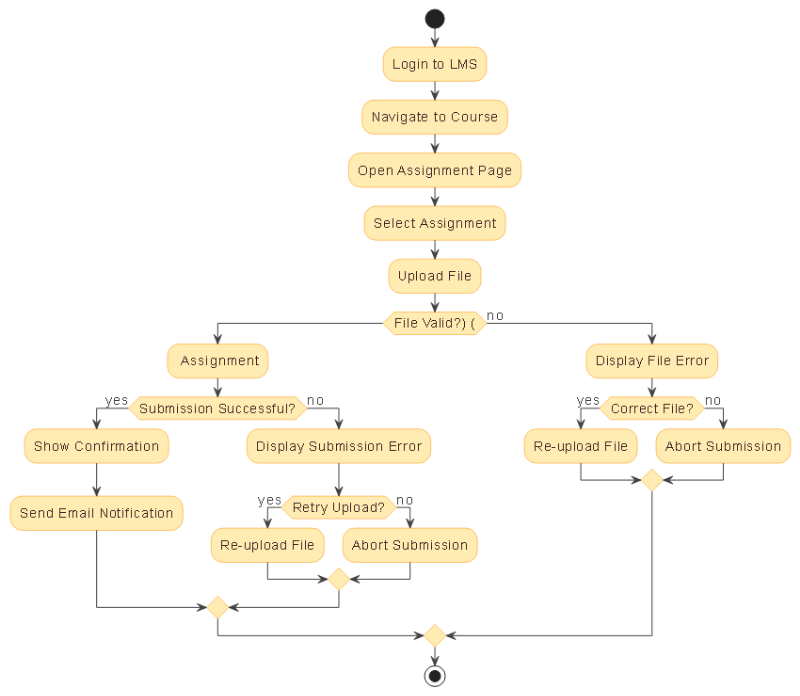
The generated activity diagram captures the full lifecycle of an assignment submission, with clear branching logic and user decisions. Key components include:
- Initial Actions: Login to the LMS, navigate to the course, and open the assignment page.
- File Upload & Validation: The system checks whether the uploaded file meets required criteria (e.g., format, size, naming).
- Conditional Branching: Two primary decision points determine the path: file validity and submission success.
- Retry Logic: If the upload fails or the file is invalid, users are prompted to re-upload or abort.
- System Feedback: Success leads to confirmation messages and automated email notifications.
Each activity is clearly labeled, with color-coded swimlanes and intuitive flow lines, ensuring readability across technical and non-technical audiences.
Deep Dive: How Email Notifications Are Triggered
One of the most frequently asked questions during diagram review was: “Can you explain how the email notification is triggered after a successful submission?”
Here’s how the system works:
- Submission Confirmation: Once the file is successfully stored, the LMS logs the event with metadata (student, course, assignment, timestamp).
- Rule-Based Trigger: Pre-configured system rules detect the event and activate the notification engine.
- Notification Engine: The engine pulls relevant data and composes a standardized email to the instructor.
- Delivery: The message is sent via SMTP or the LMS’s internal email service.
Some systems also send a confirmation email to the student. This automation ensures timely communication, reduces administrative overhead, and supports a transparent feedback loop.
As highlighted in the AI-generated diagram, the “Show Confirmation” and “Send Email Notification” actions occur in sequence after a successful upload, emphasizing their role in the final step of the workflow.
Enhancing Diagrams with AI Touch-Ups
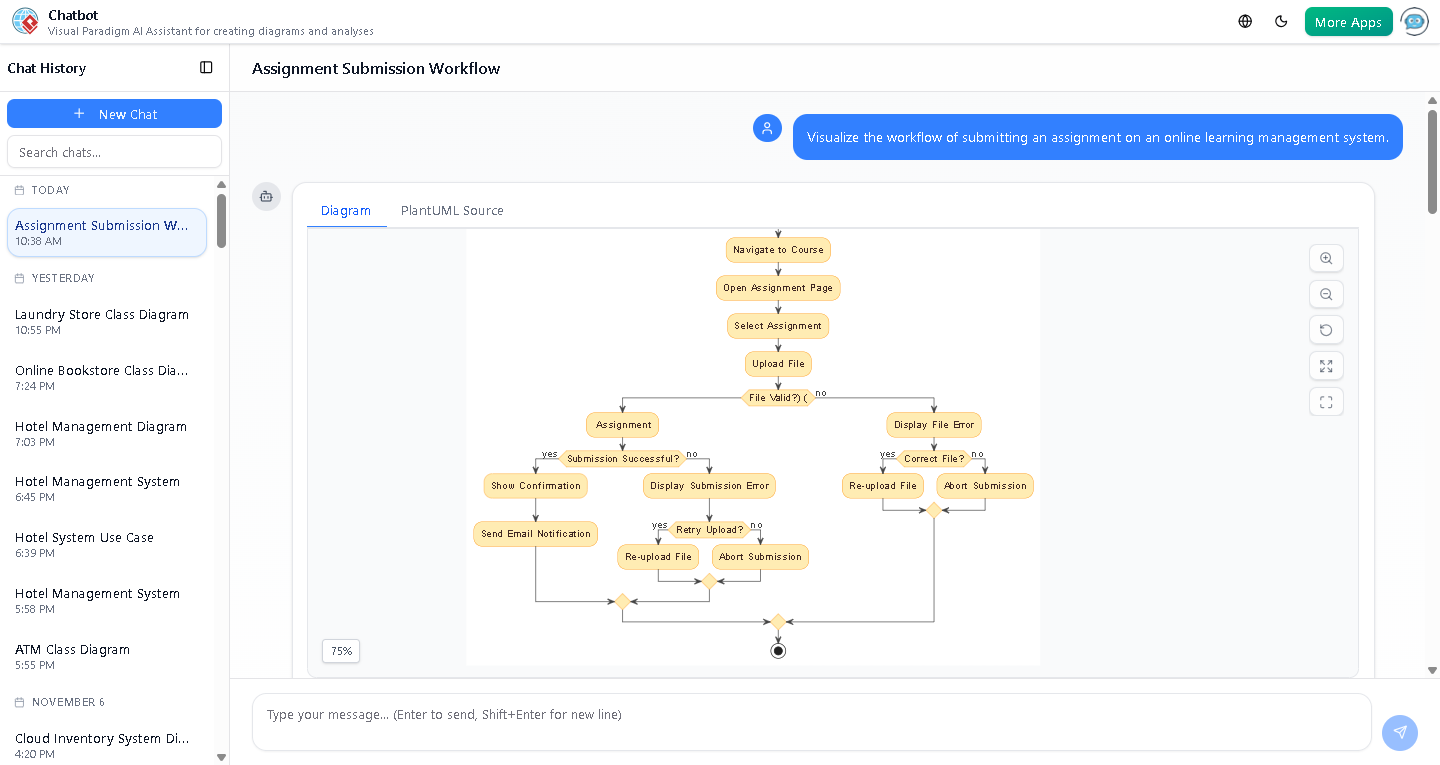
Visual Paradigm’s AI Chatbot doesn’t stop at generation. Users can refine diagrams through conversational commands:
- Add missing elements (e.g., a new decision node for late submissions).
- Translate the diagram into another language.
- Request a report summarizing the workflow logic.
- Ask for suggestions on improving clarity or structure.
For example, after the initial diagram was created, the user asked for clarification on the email trigger—prompting the AI to provide a detailed explanation and even suggest a labeled version of the diagram with email components highlighted.
The Logical Next Step
Transforming ideas into visual models has never been faster. Whether you’re designing a new LMS feature, documenting a course workflow, or teaching system design, Visual Paradigm’s AI-powered capabilities deliver precision and speed.
Explore the full potential of AI-driven modeling by trying the Visual Paradigm AI Chatbot today.