


Mapping the Virtual Meeting Workflow
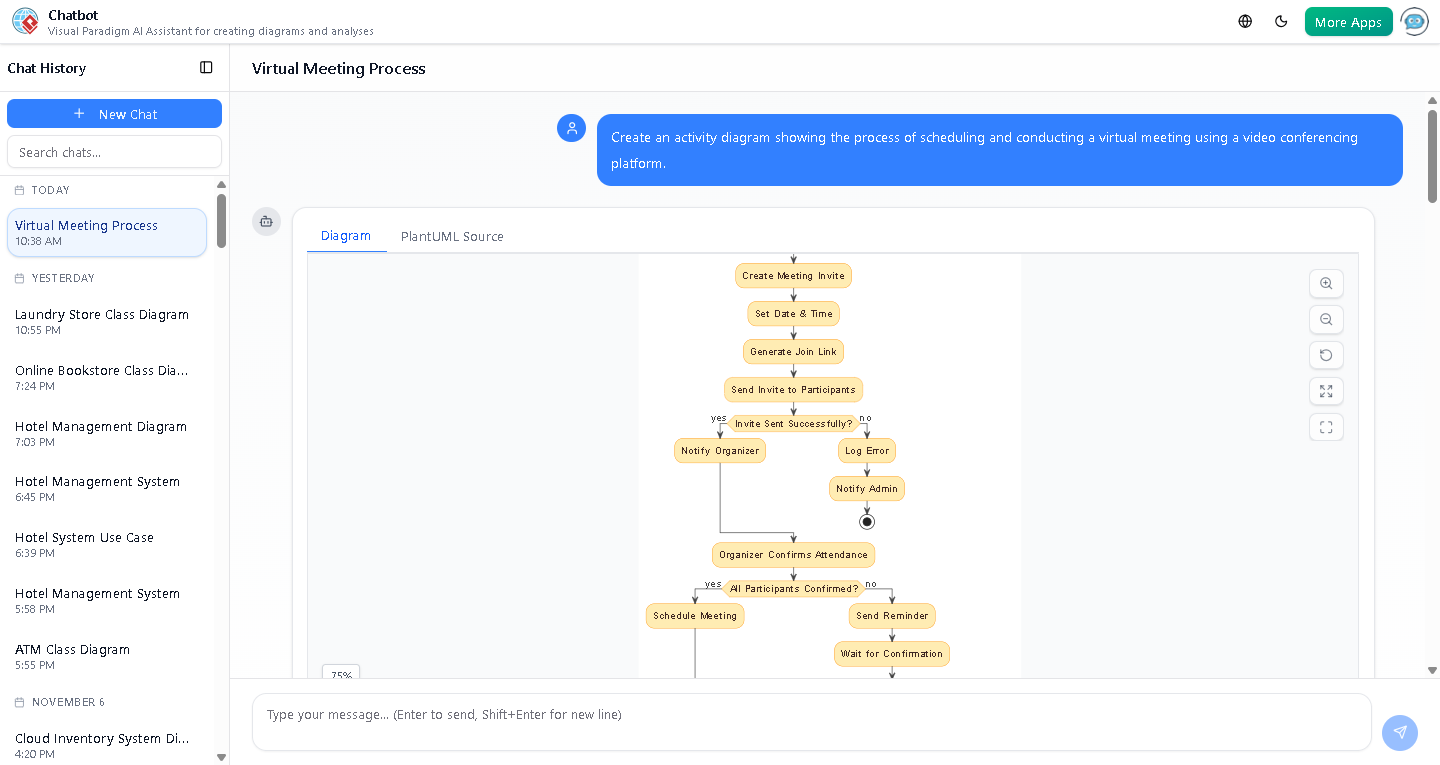
Visual Paradigm’s AI Activity Diagram generator transforms natural language into precise, professional visual models. When a user requests, “Create an activity diagram showing the process of scheduling and conducting a virtual meeting using a video conferencing platform,” the system immediately interprets the intent and delivers a fully structured, standards-compliant diagram. This example illustrates how AI-powered modeling software can streamline complex system design through intuitive conversation.
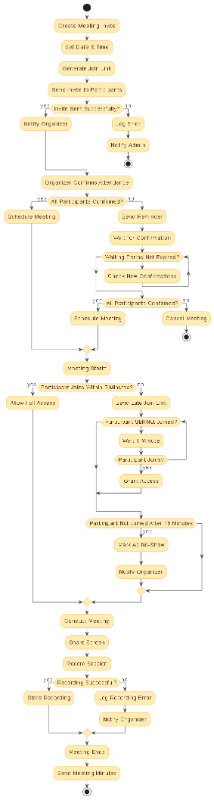
Powered by Visual Paradigm, the leading AI-powered visual modeling platform, the generated activity diagram captures the full lifecycle of a virtual meeting—from initial invitation to post-session follow-up. The model includes key decision points, parallel paths, and real-world logic such as error handling, confirmation loops, and participant access control.
Key Elements of the Diagram
The activity diagram is built with clear swimlanes and logical flow, reflecting real-world workflows. Each step is designed to represent a specific action or decision, ensuring clarity and traceability. For example:
- Invite Generation: The process begins with creating a meeting invite, setting a date and time, generating a join link, and sending it to participants.
- Error Handling: If the invite fails to send, the system logs the error and notifies an administrator—ensuring reliability.
- Confirmation Loop: The diagram includes a dynamic wait-and-check loop to handle late confirmations, ensuring meetings are only scheduled when all participants have confirmed.
- Access Control: Participants who join late are given a special link and monitored for up to 15 minutes before being marked as no-shows.
- Recording & Minutes: Post-meeting, the system logs recording status and triggers the final step: sending meeting minutes.
These elements reflect a deep understanding of operational workflows, making the diagram not just visually appealing but functionally accurate.
Enhancing the Diagram with AI-Powered Insights
During the session, the user asked: “Can you explain how the meeting minutes are generated and shared with participants?” This interaction highlights the platform’s ability to go beyond static visuals. The AI Chatbot responded with a detailed explanation of how meeting minutes are typically created—through manual note-taking, transcript review, or AI-powered summarization tools like Otter.ai or Google Meet’s integrated transcription.
While the original diagram simplified the process with a single “Send Meeting Minutes” step, the AI clarified that real-world implementation often involves:
- Reviewing meeting transcripts for key decisions and action items
- Structuring minutes with agenda alignment, decisions, and assigned tasks
- Sharing via email, shared drives, or integrated tools like Notion or Asana
This dialogue demonstrates how Visual Paradigm’s AI Chatbot doesn’t just generate diagrams—it engages in meaningful technical discussion, helping users refine their models based on real-world constraints and best practices.
Next Steps: Refining the Model
Based on the conversation, the user was invited to request a revised version of the diagram with enhanced minute generation logic or a sequence diagram to visualize participant interactions. This level of interactivity is only possible with an AI-powered modeling platform that supports iterative design through conversation.
For teams looking to design, document, and optimize business processes with minimal effort, Visual Paradigm’s AI Chatbot offers a seamless path from idea to model. Whether you’re designing a meeting system, a service workflow, or a complex enterprise architecture, the platform adapts to your language and delivers professional-grade diagrams in seconds.