


Business Process Diagram
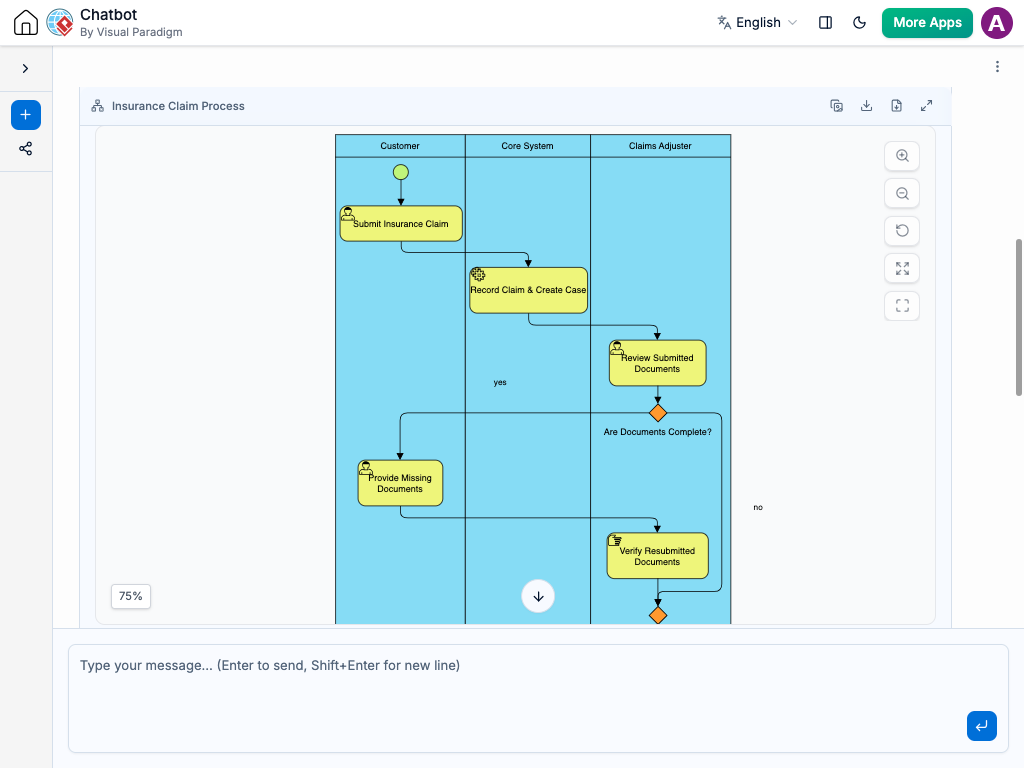
Instant Business Process Diagram Creation
Mapping out business operations no longer requires hours of manual layout work. Instead of drawing shapes, placing decision gateways, and lining up swimlanes by hand, you can simply describe your workflow to the AI Chatbot in plain language.
The system translates your text directly into a structured Business Process Diagram. It automatically sets up pools and swimlanes to show how tasks progress across different departments. Whether you are documenting a customer support protocol or mapping an enterprise onboarding pipeline, you get a clean, professional visual map in seconds.
Refine Process Workflows Through Conversation
Business workflows rarely stay static, and you can easily fine-tune your process logic right inside the chat interface. Simply type requests such as:
Add a swimlane or role: “Add a Legal Department swimlane and move the contract review step there.”
Insert decision points: “Add a gateway after manager approval to check if the budget exceeds $10,000.”
Adjust process logic: “Split the onboarding step into two parallel tasks for HR and IT.”
The diagram updates instantly, automatically rearranging swimlanes, connecting lines, and element alignment. This conversational approach makes it easy to spot missing handoffs, eliminate bottlenecks, and keep your documentation accurate.
Benefits of Creating Business Process Diagram with the AI Chatbot

Standard BPMN Notation: Automatically applies standard shapes for start/end events, task activities, gateways, and sequence flows.
Auto-Organized Swimlanes: Places tasks into designated departmental swimlanes without manual dragging or alignment.
Process Logic Optimization: Helps you catch missing approvals, dead-end paths, or redundant steps by talking through the flow.
Smart Line Routing: Keeps sequence arrows straight and avoids overlapping connections, even as your workflow expands.
Examples of Generating
Business Process Diagrams
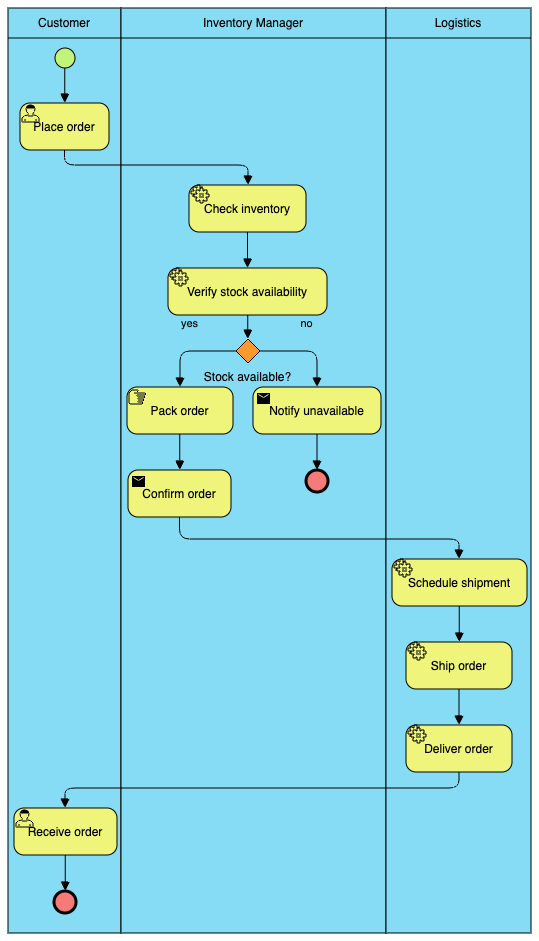
“Create a Business Process Diagram for an online store order fulfillment process, featuring swimlanes for Customer, Inventory Manager, and Logistics team.”
Insurance Claim Processing

“Generate a BPD for an insurance claim service where a policyholder submits a claim, an adjuster reviews it, and finance processes payout if approved.”
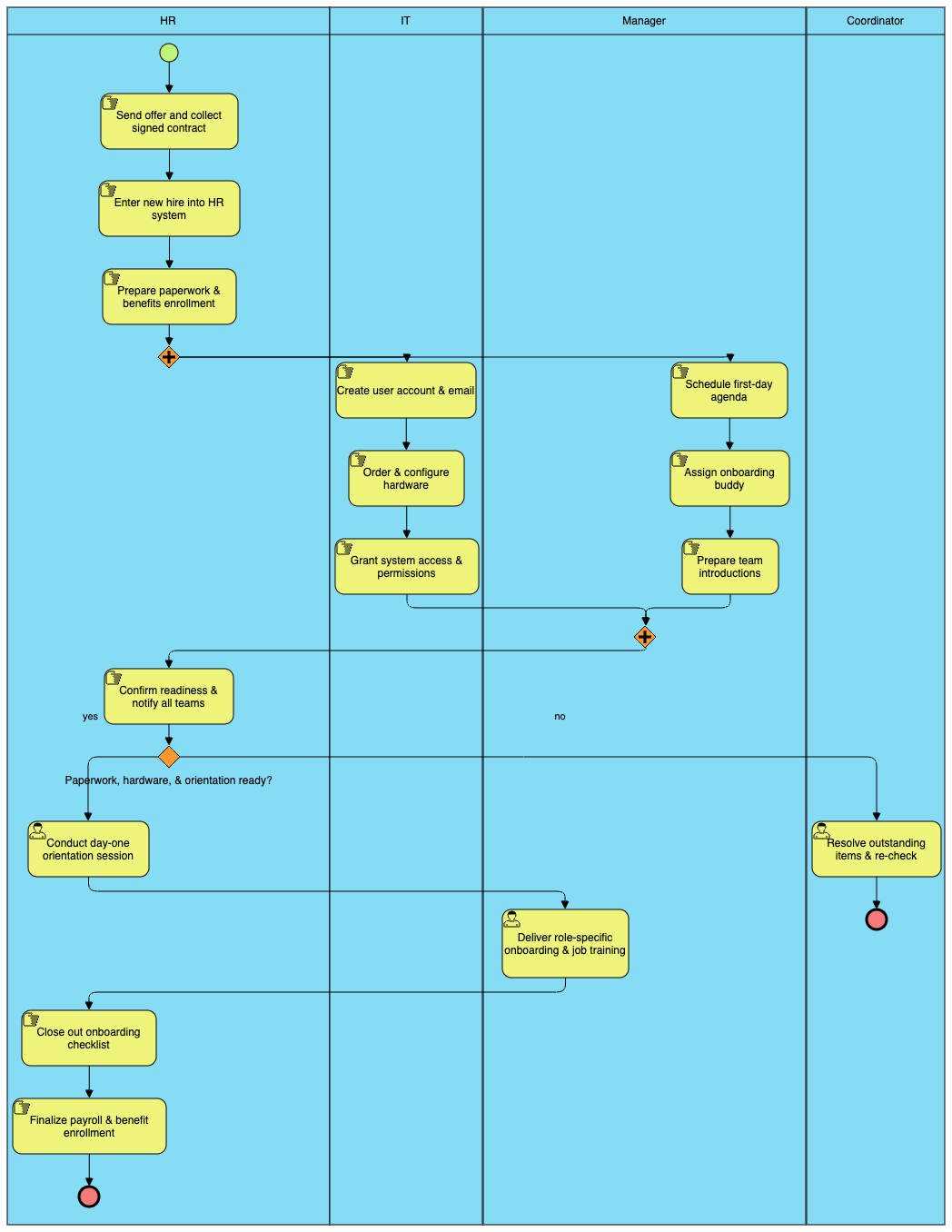
“Generate a business process map for onboarding a new hire, splitting tasks between HR for paperwork, IT for hardware setup, and Manager for orientation.”
What is a Business Process Diagram?
A Business Process Diagram (BPD)—often modeled using Business Process Model and Notation (BPMN)—is a standardized visual representation of an end-to-end business workflow. It maps out sequential activities, responsibilities across different roles, and conditional pathways required to achieve a specific business outcome.
Key Concepts
Pools & Swimlanes
Containers and lanes that clearly separate responsibilities by organizational boundaries, departments, or specific roles (e.g., Customer, Finance, Operations).
Events
Indicators that mark where a process starts, encounters an intermediate state (like receiving a message or waiting for a timer), or ends.
Activities & Tasks
Individual work units or operational steps performed by actors within the workflow.
Gateways
Decision diamonds that control flow logic, such as splitting a process into parallel paths or directing sequence flow based on conditions.
Sequence Flows
Connecting lines that illustrate the exact progression and dependency of activities from start to finish.
Ready to Streamline Your Business Processes with AI?
Stop spending hours manually drawing swimlanes and formatting boxes. Turn complex business workflows into clear visual diagrams instantly through simple conversation.