CRC Card Diagram
The AI Chatbot helps you model CRC Card Diagrams by organizing classes, defining single-responsibility roles, and mapping object interactions to streamline object-oriented design.
Instant CRC Card Diagram Creation
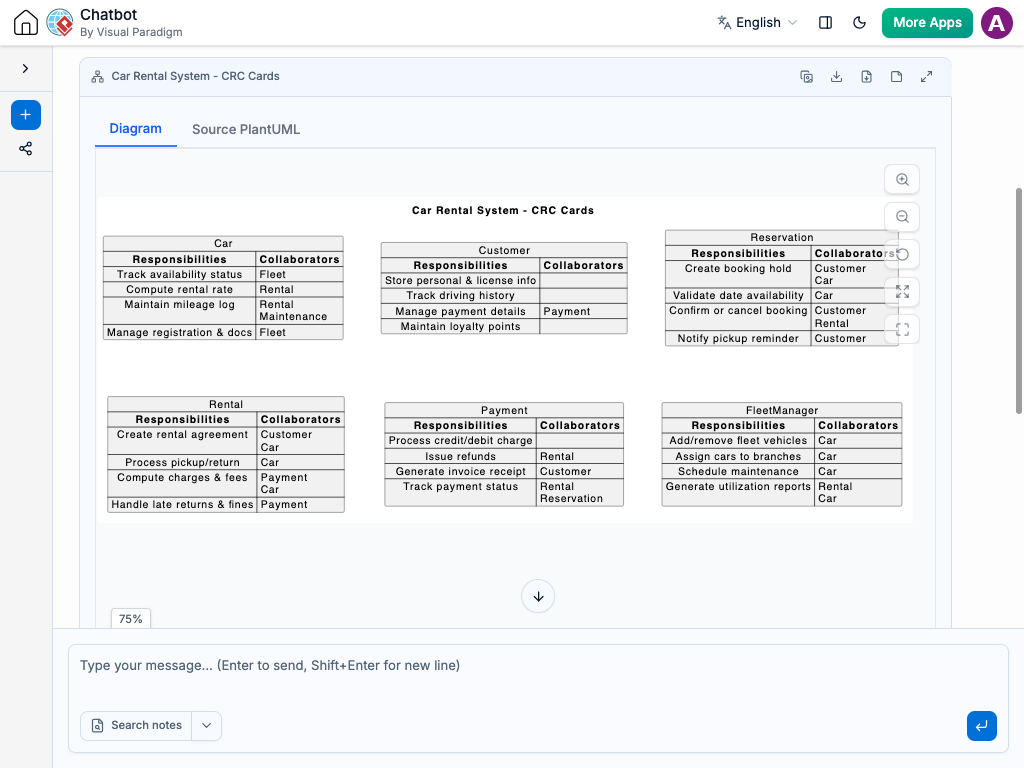
Designing object-oriented systems shouldn’t require manually drawing cards, formatting text compartments, and alignment tweaking. Instead of manually writing out class responsibilities and linking collaborator dependencies by hand, simply describe your system components to the AI Chatbot in plain language.
Our AI Chatbot instantly translates your description into a fully structured CRC Card Diagram. It automatically divides cards into clear class names, clear lists of responsibilities, and associated collaborator objects. Whether you are modeling an e-commerce checkout, a banking transaction system, or a game engine, you get a clean visual representation of your object interactions in seconds.
Refine CRC Cards Through Conversation
System responsibilities evolve as you design, and updating your CRC cards is as easy as typing a message in the chat interface. Adjust your class logic effortlessly with prompts like:
Add classes or responsibilities: “Add a NotificationService class responsible for sending email receipts.”
Update collaborators: “Make the OrderProcessor collaborate with InventoryManager to reserve stock.”
Split monolithic classes: “Divide the User class into UserAccount and SecurityManager to simplify responsibilities.”
The AI updates your diagram on the fly—reorganizing card layouts, updating responsibility lists, and adjusting collaborator relationships. This conversational approach helps you build clean, decoupled software architectures collaboratively.
Benefits of Creating CRC Card Diagrams with the AI Chatbot
Object-Oriented Design Best Practices: Encourages single-responsibility principles by keeping class responsibilities focused and concise.
Automated Card Layout & Structuring: Formats class names, responsibilities, and collaborators into neat, organized card layouts automatically.
Rapid System Prototyping: Speeds up early-stage architectural discussions before writing detailed UML class diagrams or implementation code.
Examples of Generating
CRC Card Diagram
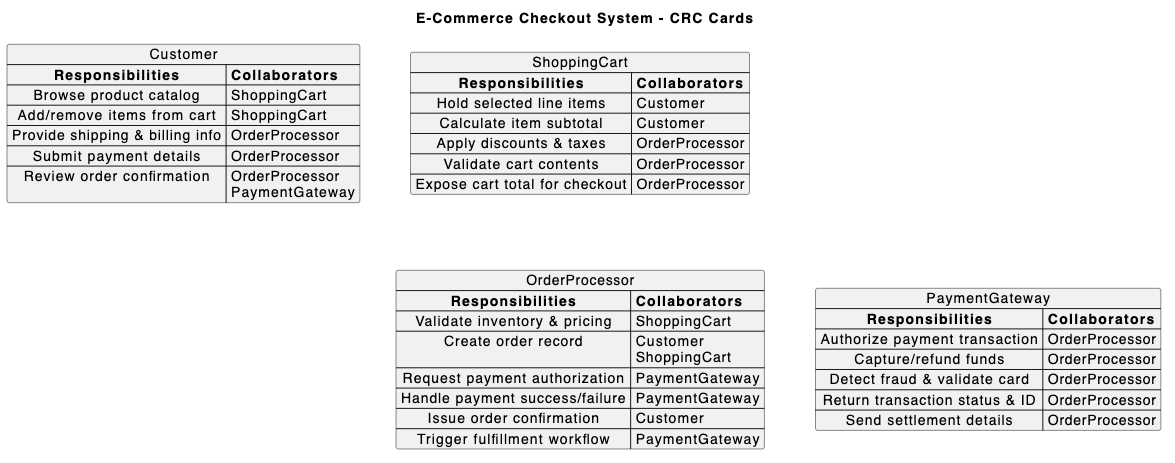
E-Commerce Shopping Cart
“Create a CRC card diagram for an e-commerce checkout system with Customer, ShoppingCart, OrderProcessor, and PaymentGateway.”
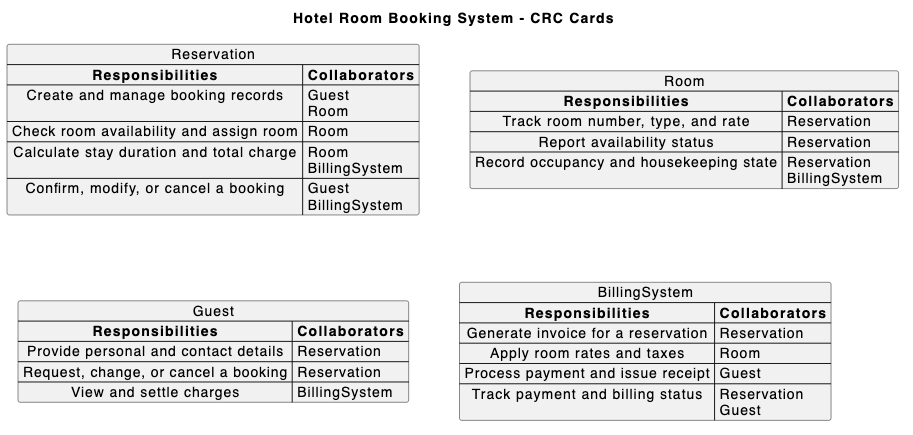
Online Hotel Reservation
“Draw a CRC card diagram for a hotel room booking system showing Room, Reservation, Guest, and BillingSystem.”
Ride-Sharing App Design
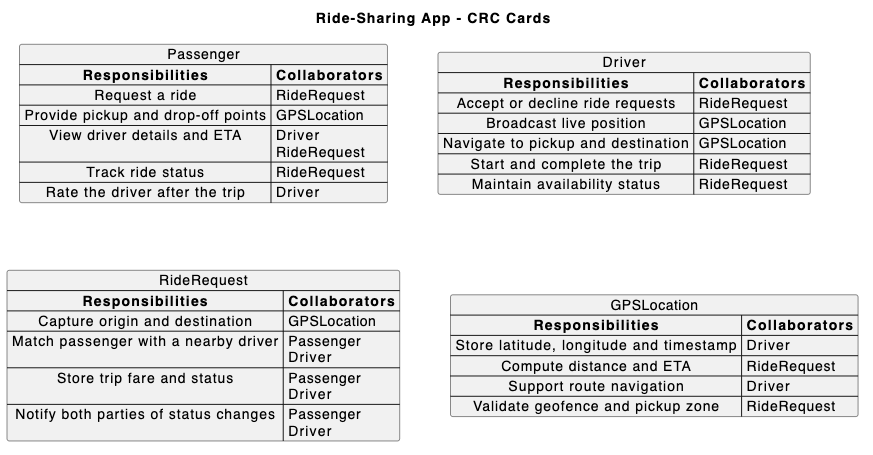
“Generate a CRC card diagram for a ride-sharing app with Passenger, Driver, RideRequest, and GPSLocation.”
What is a CRC Card Diagram?
A CRC Card Diagram (Class-Responsibility-Collaborator) is an object-oriented brainstorming and design tool. It breaks system design into index-card representations showing what a class knows or does (Responsibilities) and which other classes it needs to fulfill those tasks (Collaborators).
Key Concepts
Class Name
The name of the object or system component represented at the top of the card.
Responsibilities
The core duties, actions, or information that the class is accountable for managing.
Collaborators
Other classes that this class interacts with or relies upon to complete its responsibilities.
Ready to Design Better CRC Card Diagrams with AI?
Map out class responsibilities and collaborator interactions in seconds using simple AI prompts.